How to Deposit Money at an Online Casino: Step-by-Step for Every Method
Depositing money at an online casino is a payment transaction. You pick a method, enter the amount, confirm, then wait for your balance to update.
This guide shows you how to deposit step by step for every common option. You will learn the exact fields to fill in, the checks to make before you click confirm, and how long each method usually takes. You will also see what can block a deposit, including name mismatches, card declines, bank security flags, and wallet limits.
You will finish knowing how to choose between cards, e-wallets, bank transfer, prepaid, and crypto based on speed, fees, and limits. For fraud and account protection, follow these online casino payment safety tips.
Key Takeaways
- In het kort: Match your deposit method to your goal, speed, limits, and fees.
- In het kort: Double-check your name, card details, wallet ID, and currency before you confirm.
- In het kort: Expect instant deposits with cards and e-wallets, slower timing with bank transfers, and variable timing with crypto based on confirmations.
- In het kort: Most failed deposits come from name mismatches, bank security blocks, card declines, and wallet limits.
- In het kort: Keep your account ready for checks. Use KYC verification early to avoid deposit holds and limits.
- Cards work well for speed and simplicity. Watch for issuer declines, 3D Secure prompts, and daily caps.
- E-wallets give fast approval and privacy from your bank statement label. Watch wallet fees, top-up limits, and account status.
- Bank transfers suit large deposits. Plan for longer processing times and stricter name matching.
- Prepaid cards help with budget control. They often have lower limits and weaker support for withdrawals.
- Crypto can be fast and flexible. You must use the right network and wallet address, and pay network fees.
- Before you click confirm, check deposit minimums, maximums, currency conversion, and bonus payment rules.
- If a deposit fails, stop retrying. Check your bank app, wallet limits, and casino cashier logs, then contact support with the error code.
What “depositing at an online casino” means (and what you need first)
What a casino “deposit” is, and what it is not
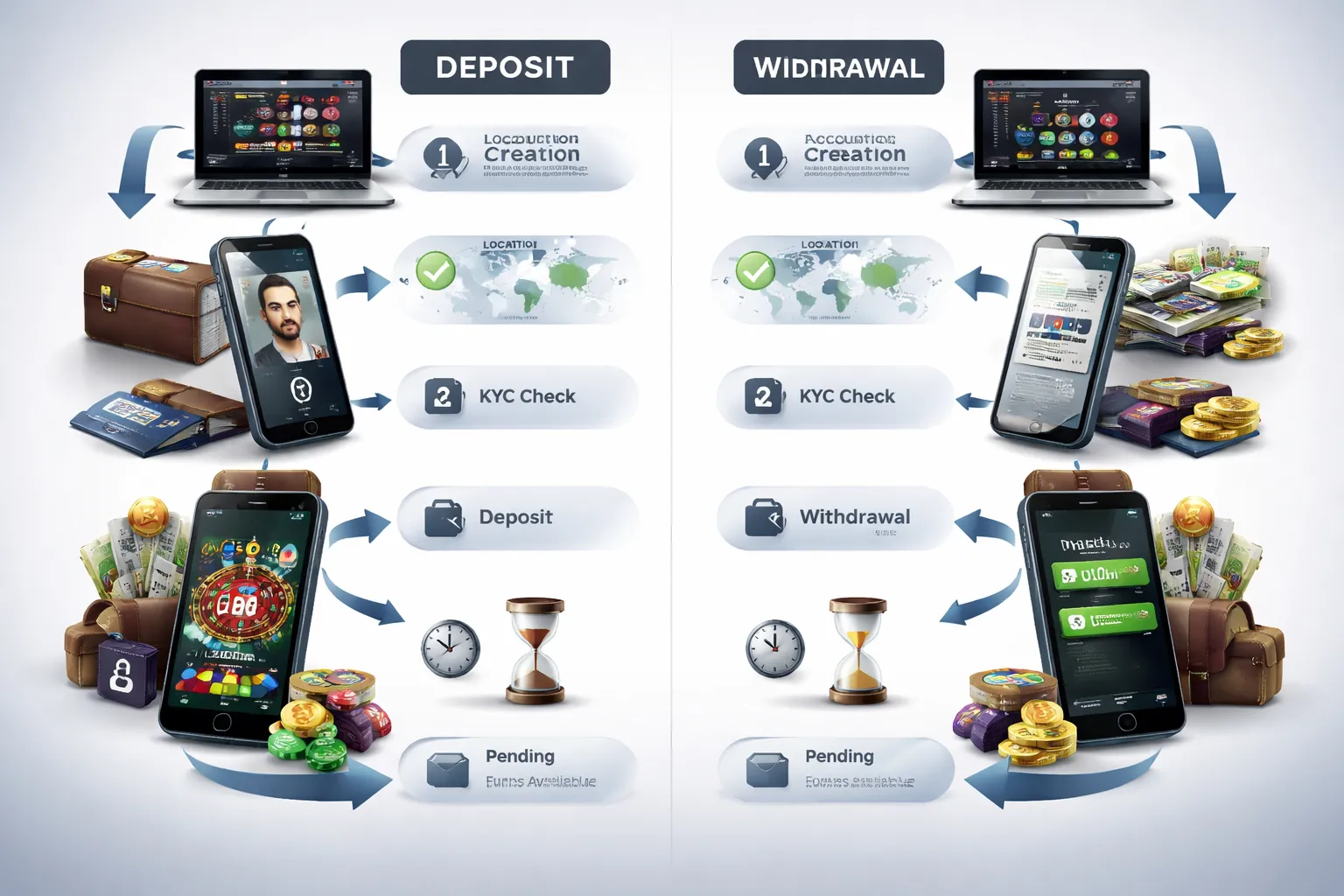
A deposit moves money from your bank, card, wallet, or crypto address into your casino balance. You use that balance to place bets.
A withdrawal moves money the other way, from the casino back to you. Casinos often treat deposits and withdrawals as separate flows, with different methods and rules.
- Method mismatch: Some deposit options do not support withdrawals. Example, prepaid vouchers often deposit only.
- Different checks: You can often deposit before full verification. You may not be able to withdraw until you pass identity checks.
- Different speeds: Card and wallet deposits can credit fast. Withdrawals can take longer due to reviews, limits, and bank processing.
- Different fees: Deposits may look free while the payment network charges a separate fee. Withdrawals may carry processing fees or currency conversion costs.
What you need before you can deposit
- An account: You need a registered casino account with your correct name, date of birth, and address. Use details that match your payment method.
- Age and location eligibility: You must meet the legal age and be in a permitted country, state, or province.
- A supported payment method: Your card issuer, bank, wallet provider, or crypto network must allow gambling transactions.
- Verification readiness: Keep an ID and proof of address ready. Some casinos trigger checks after your first deposit or at withdrawal time. Learn the basics in our online casino KYC guide.
Key terms you must understand
- Deposit minimum: The smallest amount the cashier accepts for that method. It can differ by payment type and currency.
- Deposit maximum: The largest amount allowed per transaction, per day, or per month. Limits can come from the casino, your bank, or the payment provider.
- Pending status: The casino shows the deposit as processing. The money may sit in authorization, bank review, or blockchain confirmation before it posts or fails.
- Interchange fees: Fees in card payments paid between the merchant, card network, and issuing bank. You may not see them as a line item, but they can affect which cards work, what regions get blocked, and whether the casino passes on costs as a “processing fee.”
Why deposit options vary by country and state
Payment availability depends on licensing rules, banking rules, and provider coverage. Your location can change what you see in the cashier and which transactions get approved.
- Local gambling law: A casino may accept players only from specific jurisdictions. If you travel, the cashier can change.
- Issuer and bank policy: Some banks block gambling merchant codes. Approval rates vary by bank and by country.
- Payment provider coverage: Some e-wallets and instant bank systems operate only in certain regions.
- Currency support: If your currency is not supported, you may face conversion at your bank, wallet, or casino, with extra spread and fees.
Safety checklist before you add funds (E-E-A-T essentials)
How to verify licensing, regulation, and operator legitimacy
- Find the license details in the site footer or the cashier. Look for the regulator name and a license number.
- Click through to the regulator site. Confirm the license number, operator name, and status show as active.
- Match the legal entity. Compare the operator name on the license to the name in the casino Terms and Conditions and Privacy Policy.
- Check the domain. The licensed brand should list the same website address you use.
- Read key policy pages before you deposit. Focus on KYC, source of funds checks, withdrawal rules, bonus wagering, and fee language.
- Save proof. Take screenshots of the license page and key terms. Keep them with your deposit receipts.
Security signals to look for: SSL, 2FA, and reputable payment processors
- Confirm HTTPS. Your browser address bar should show https and a padlock before you enter card or bank details.
- Check the certificate. Open the certificate panel and confirm the domain matches. Avoid certificate warnings.
- Turn on 2FA if offered. Use an authenticator app where possible. Avoid SMS 2FA when you can.
- Use known rails. Prefer Visa, Mastercard, major bank transfer systems, and established e-wallets.
- Watch the payment redirect. The checkout page should stay on the casino domain or a recognized payment provider domain.
- Keep your device clean. Update your OS and browser. Avoid deposits on public Wi-Fi.
Responsible gambling controls: deposit limits, cool-offs, and self-exclusion
- Set a deposit limit before your first top-up. Use daily, weekly, or monthly caps.
- Use loss and session limits if available. They reduce impulsive reloads.
- Use a cool-off when you feel tilt. Pick a time window you cannot override.
- Use self-exclusion for longer breaks. Confirm the casino blocks logins and marketing during the period.
- Keep limits at the account level, not only in your bank app. Bank tools help, casino tools enforce play access.
How to avoid common scams: mirror sites, fake apps, and phishing payment pages
- Type the URL yourself. Do not deposit from links in ads, DMs, or email attachments.
- Bookmark the real domain after you verify it. Use the bookmark for future logins.
- Avoid “mirror” domains unless the regulator lists them. Scammers copy branding and run lookalike cashier pages.
- Install apps only from official stores. On Android, avoid APK downloads from pop-ups and “VIP support” chats.
- Verify support channels. Use the contact details on the site, not numbers sent in messages.
- Do not share one-time codes. No real cashier or support agent needs your 2FA code or bank OTP.
- Watch for urgent payment pressure. Scammers push “instant verification” and “manual deposit” by bank transfer.
- If you hit a dispute, document everything and use the regulator and ADR path. See how to file a complaint against an online casino.
Step-by-step: the universal deposit process (works for any method)
Navigating the cashier: where to find deposit and banking settings
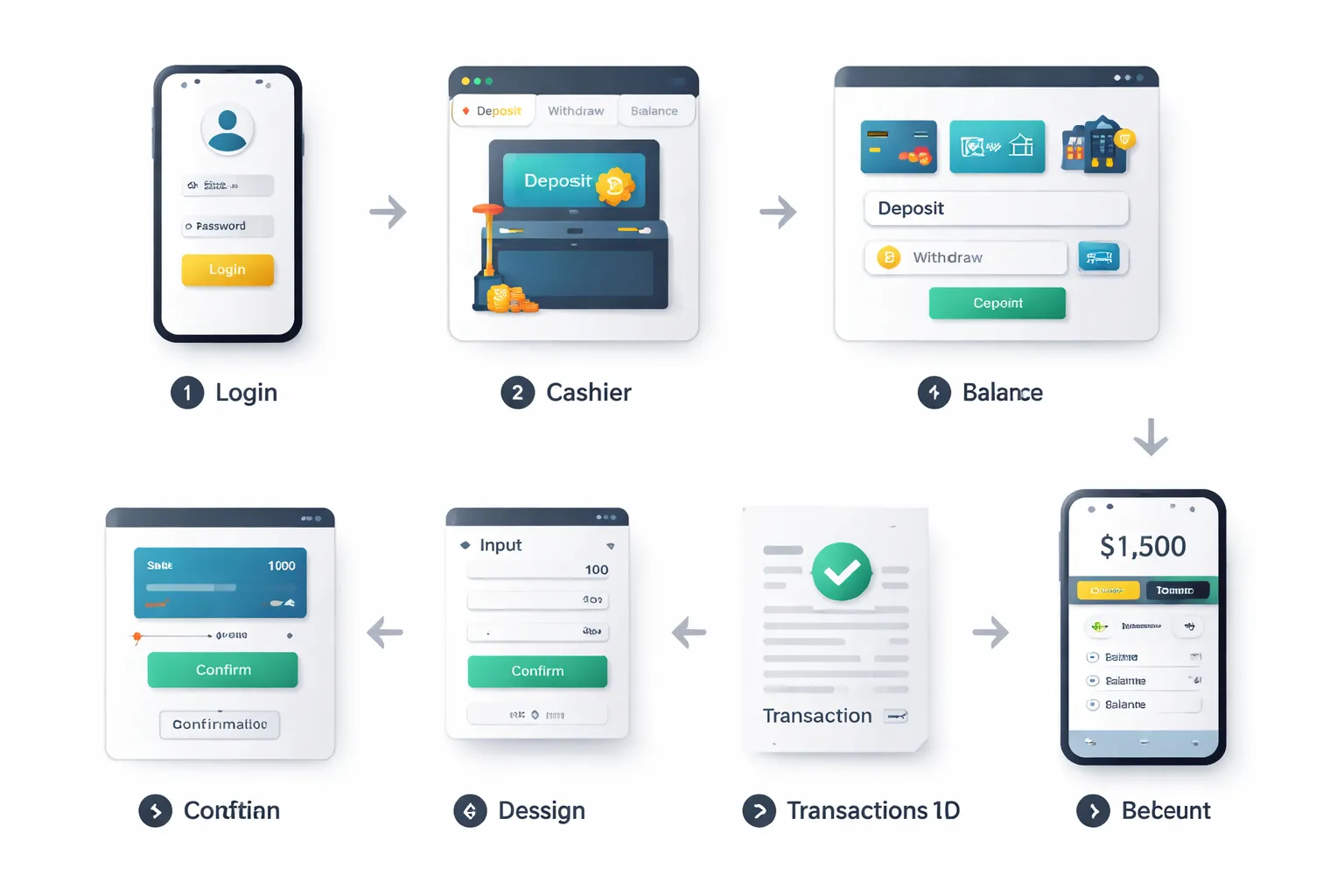
Log in to your casino account.
Open the cashier. Look for labels like Cashier, Banking, Wallet, or Deposit in the top menu or account icon.
- Go to Deposit for adding funds.
- Go to Transaction History or Payments to see past deposits and statuses.
- Open Limits or Responsible Gaming to set deposit caps, session limits, or cooling-off.
- Check Verification or KYC to upload documents if the cashier blocks payments.
Use only the in-site cashier or the official app. Do not follow deposit links sent by message.
Choosing a payment option based on speed, privacy, and limits
Pick the method that matches your goal. Then check the method page for fees, limits, and processing times before you enter any details.
- Fast balance update. Cards and e-wallets often credit your casino balance quickly.
- Higher privacy. Prepaid and some wallets share less bank detail with the casino, but the provider still holds identity data.
- Higher limits. Bank transfer and some wallets often allow larger deposits, but they can take longer.
- Lower friction. Methods you already use and have verified will fail less.
Match your deposit method to your planned cashout method. Many casinos require you to withdraw back to the same payment route when possible. For a side-by-side breakdown, see online casino payment methods compared.
Entering deposit amount and applying promo or bonus codes correctly
Choose your method, then enter your deposit amount.
- Stay within the displayed minimum and maximum for that method.
- Deposit in your account currency if you can. Extra conversion steps can add cost.
- If you use a bonus code, enter it once, then confirm it shows as applied before you pay.
- Read the key terms shown in the cashier. Focus on wagering, game contribution, max bet rules, and time limits.
- If you do not want a bonus, select No bonus if the cashier offers it. Do not assume it defaults to off.
If your card or wallet prompts a name mismatch warning, stop and fix your account details. Do not deposit under someone else’s name.
Confirming the transaction and saving receipts or screenshots for records
Confirm the payment in the provider window. This can include 3D Secure, wallet approval, bank app confirmation, or a crypto send screen.
- Verify the merchant name and amount before you approve.
- Do not share one-time codes or 2FA codes with anyone.
- After approval, save proof. Keep a screenshot of the confirmation page and the transaction ID.
- For crypto, save the address, network, amount, and TXID. One wrong network can mean a lost deposit.
Store receipts until the deposit settles and you finish any related withdrawal.
How to check balance updates and transaction history inside your account
Return to the casino tab or app after you approve the payment.
- Check your cash balance and bonus balance. Some casinos split them.
- Open Transaction History, Payments, or Cashier History.
- Find the deposit entry and check its status. Common labels include Completed, Pending, Failed, or Reversed.
- If the balance does not update, refresh once, then log out and back in. Do not spam retries. Multiple attempts can create duplicates.
If the history shows pending for a long time, keep your receipts and contact support from inside your account. Use clear facts: method, amount, time, and transaction ID.
Deposit with debit or credit card (Visa/Mastercard/Amex)
Deposit with debit or credit card (Visa, Mastercard, Amex)
Card deposits are fast. Approval depends on your bank and the casino’s payment processor. Use a card in your name. Use the same details you use with your bank.
Card deposit walkthrough
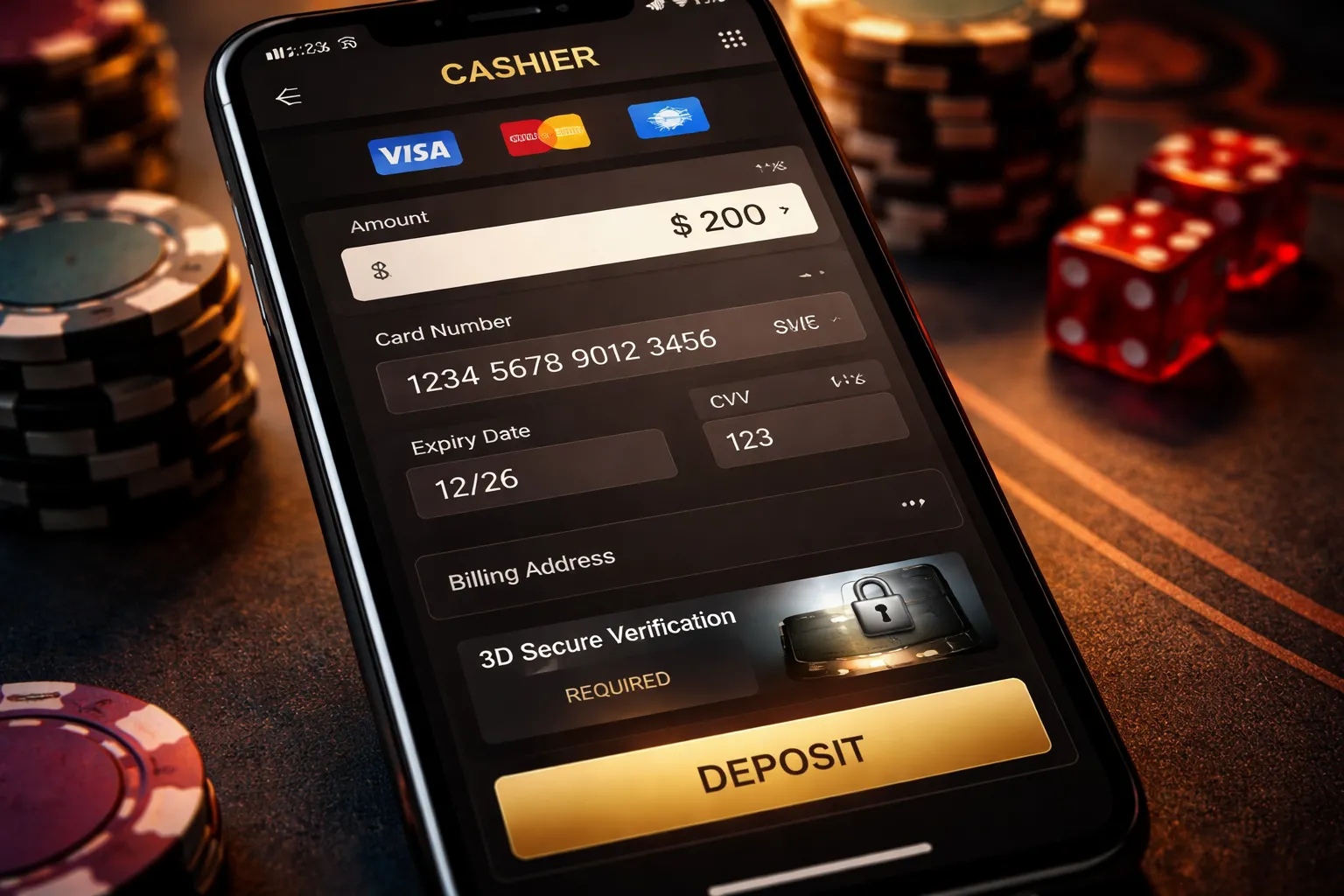
- Go to Cashier, then Deposit. Choose Visa, Mastercard, or Amex.
- Enter the amount. Check the deposit limits shown on the page.
- Fill in card details. Card number, expiry date, and CVV.
- Fill in billing details. Name, billing address, ZIP or postal code, and country. Match your bank records.
- Confirm the currency. If the casino account uses a different currency than your card, expect a conversion.
- Complete authorization. Many banks require 3D Secure. You may see a bank screen, an SMS code, or an app approval.
- Submit once. Wait for the success or fail message, then check your balance and transaction history.
Some casinos ask for a quick card check before your first payment. You may need to upload ID and a proof of address. This links to faster payouts later. Use this guide to verify your identity if the casino requests documents.
Why card payments get declined
- AVS mismatch. Your billing address or ZIP code does not match bank records. Use the exact format on your statement.
- CVV mismatch. You entered the wrong security code. Do not guess. Recheck the digits.
- 3D Secure failed or timed out. You closed the bank window, switched apps, or approval expired. Start over and complete the bank step in one go.
- Bank blocks gambling transactions. Some banks block gaming merchants by default. Ask the bank to allow the merchant or use a different method.
- MCC restrictions. Casinos often use a gambling Merchant Category Code. Your bank may decline based on MCC policy even if the card has funds.
- Insufficient funds or credit limit. Include any pending holds. A small gap can trigger a decline.
- Country and region rules. Your card issuer may block cross border gaming payments.
- Prepaid or virtual cards rejected. Many casinos accept only standard debit or credit cards with full AVS support.
If you get a decline, change one thing at a time. Fix your billing data first. Then try a smaller amount. If it still fails, call your bank and ask for the exact decline reason and whether they block the casino MCC.
Fees and exchange rates with international casinos
Most casinos do not add a card deposit fee, but your bank may. Expect these common costs when the casino operates in a different currency.
- Foreign transaction fee. Many issuers charge a percentage for cross border card payments.
- Exchange rate spread. You rarely get the mid market rate. The rate depends on the card network and your bank.
- Dynamic currency conversion. Some processors offer to charge you in your home currency. It often costs more. Choose to pay in the casino currency when you can.
- Cash advance coding. Some banks treat gambling deposits as cash like transactions. This can add cash advance fees and interest from day one. Check your card terms.
Pros, cons, and best use cases
| Pros |
|
| Cons |
|
| Best use |
|
Deposit with e-wallets (PayPal, Skrill, Neteller and similar)
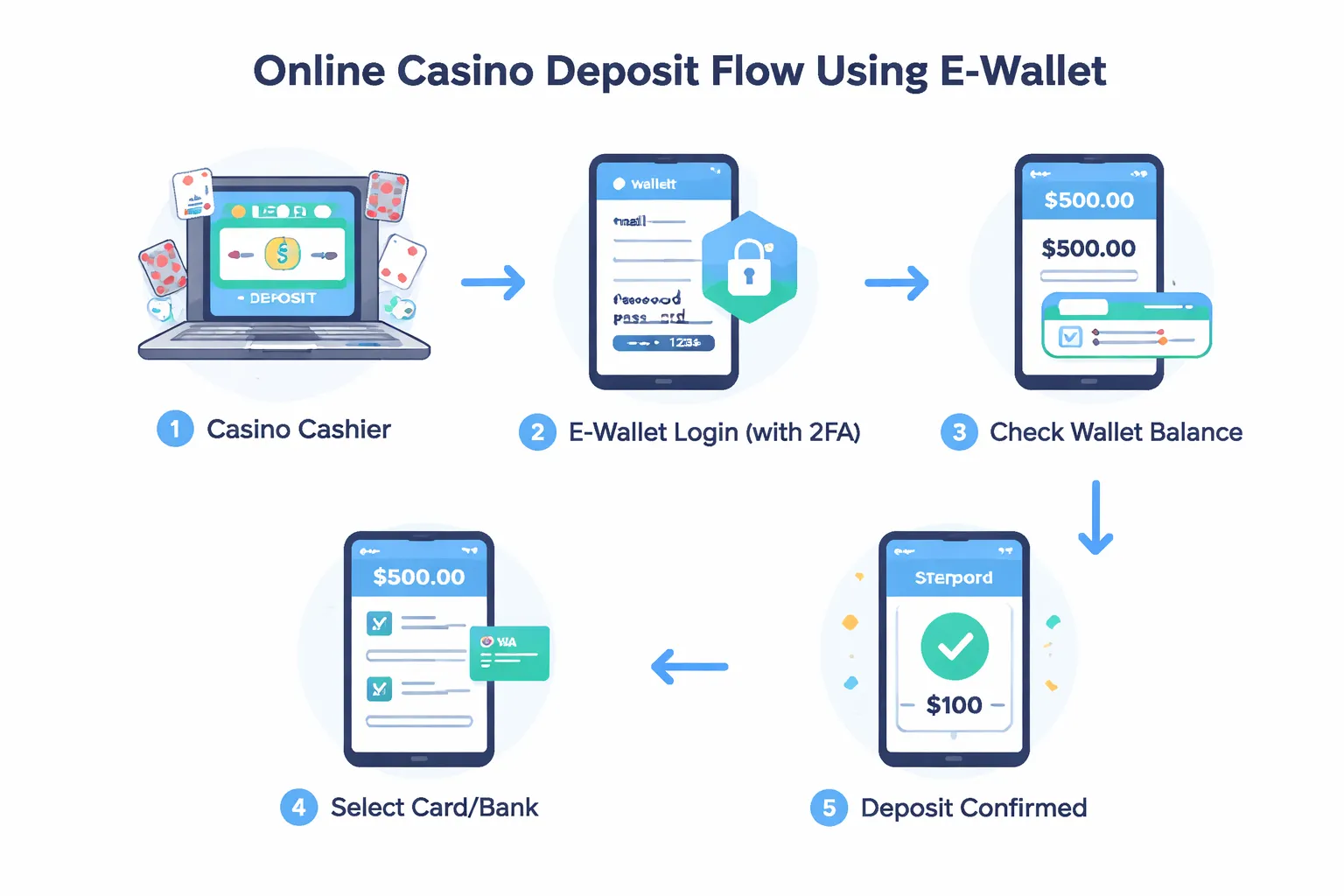
Deposit with e-wallets (PayPal, Skrill, Neteller and similar)
E-wallets sit between your bank and the casino. You deposit from the wallet. The casino never sees your card number or bank login. This cuts exposure if a payment page gets compromised.
Link your e-wallet to your casino account securely
- Use matching details. Your casino name and your e-wallet name should match. Same for date of birth and address. Mismatches can block withdrawals and trigger extra checks.
- Log in from the casino cashier. When the casino redirects you to PayPal, Skrill, or Neteller, check the domain and the lock icon. Do not enter credentials on a page that looks embedded or off-brand.
- Turn on 2FA. Enable app-based 2FA in your wallet. Use a unique password. Do the same for your casino account.
- Keep one wallet per person. Shared wallets create ownership disputes. Casinos often reject them during withdrawal review.
Funding your wallet first vs paying directly from a linked card or bank
Most e-wallets let you load funds first, or pay from a linked card or bank at checkout. The better option depends on fees, speed, and what your casino supports.
- Load your wallet first. You move money from bank or card into the wallet, then deposit to the casino. This gives you clearer tracking and can reduce casino-side declines. Your wallet balance settles before you deposit.
- Pay directly from a linked card. The wallet charges your card during the casino checkout. This can be faster to start, but you can still get card declines due to bank blocks or gaming MCC rules.
- Pay directly from a linked bank account. Some wallets support instant bank flows in certain countries, others run as an e-check or bank transfer. Speed varies by region and bank.
| Approach | What happens | Common result |
|---|---|---|
| Fund wallet balance first | Bank or card to wallet, then wallet to casino | More consistent deposits, better separation from your bank |
| Wallet pays from linked card | Card gets charged during checkout | Fast, but still exposed to card declines and card fees |
| Wallet pays from linked bank | Bank pull, instant bank auth, or transfer | Can be cheap, speed depends on bank and country |
Typical processing times and when e-wallets are instant
- Deposits to the casino. Usually instant. Your balance updates as soon as the wallet approves the payment.
- Wallet funding from a card. Often instant, but some issuers treat it as a cash-like transaction. This can add fees or declines.
- Wallet funding from a bank account. Can range from instant to 1 to 3 business days, depending on country, method, and bank.
- Withdrawals from the casino to the wallet. The casino review takes the time. After approval, the transfer to your wallet often lands the same day or within 24 hours.
An e-wallet deposit feels instant when two things happen. The casino supports that wallet in your region. The wallet approves the payment without extra checks.
Pros, cons, and common restrictions
- Pros. Fast deposits. Fewer bank declines. Your card and bank details stay private. Often supports quick withdrawals after approval.
- Cons. Fees can stack, wallet funding fees, FX fees, and withdrawal fees to your bank. Some wallets require verification before higher limits or cashouts.
- PayPal limits. Many casinos do not offer PayPal in all countries or all states. Some only allow PayPal on selected brands, or only for deposits and not withdrawals.
- Bonus and withdrawal rules. Some casinos restrict certain bonuses when you use specific wallets. Many require you to withdraw back to the same wallet you used to deposit, up to your deposit amount.
- Currency issues. If your wallet currency differs from the casino currency, you can pay FX twice, wallet conversion and casino-side conversion.
- Responsible gambling blocks. Wallets can support merchant blocks. If you turned on gambling blocks, deposits will fail until you remove them.
If you want a broader comparison of speed, limits, and fees across methods, see online casino payment methods compared.
Deposit via bank transfer (ACH, wire, SEPA and online banking)
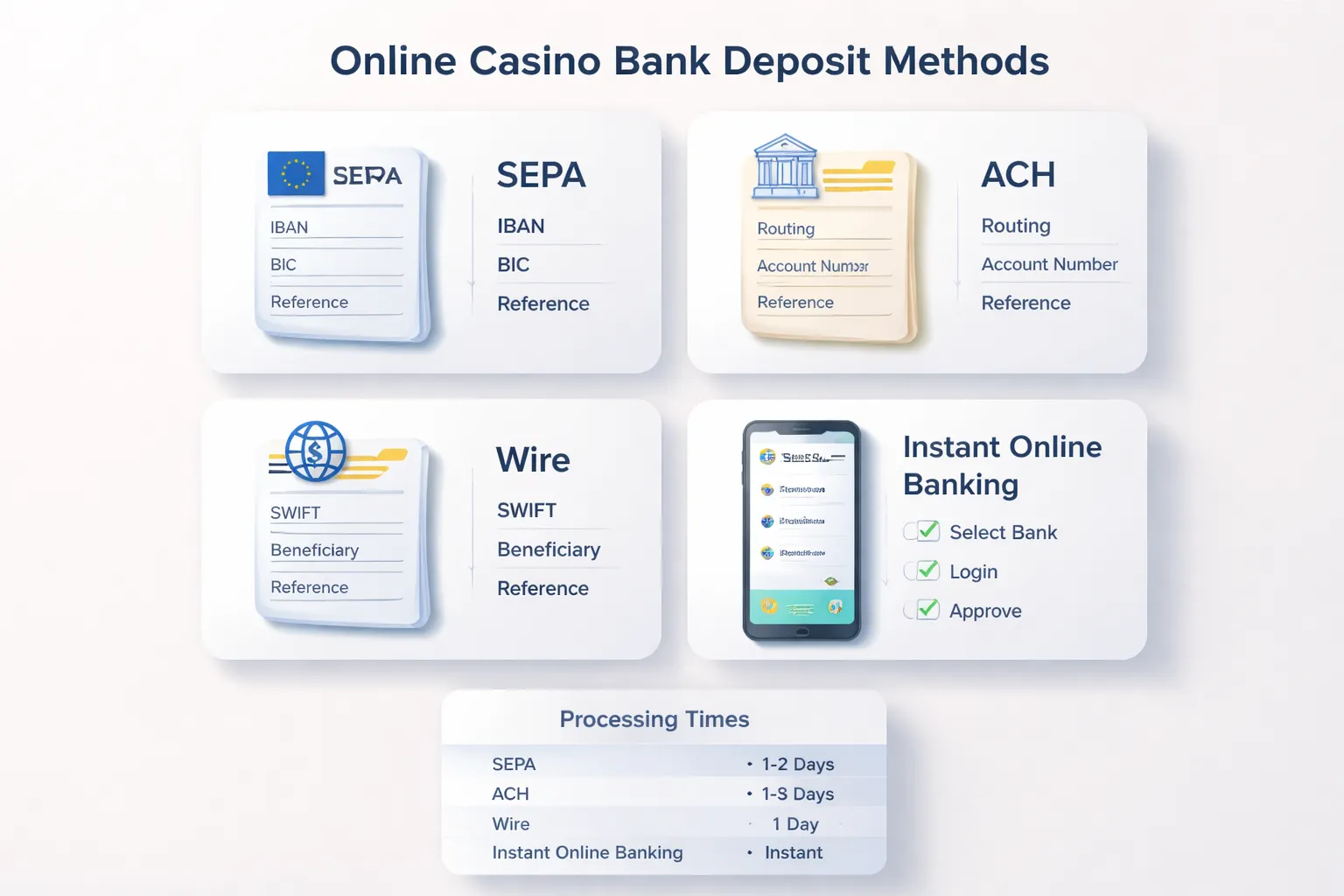
Deposit via bank transfer (ACH, wire, SEPA and online banking)
Bank transfers move money from your bank account to the casino cashier. You will see options like ACH, wire, SEPA, and instant online banking. Availability depends on your country and the casino’s banking partners.
Direct bank transfer walkthrough
- Open Cashier. Select Bank transfer, then choose ACH, wire, SEPA, or online banking.
- Read the payee details. The casino will show a beneficiary name, bank name, and account identifiers.
- Enter the required bank details.
- SEPA: IBAN, BIC, beneficiary name, beneficiary address if requested.
- ACH (US): routing number, account number, account type, account holder name.
- Wire: bank routing or SWIFT, beneficiary account number or IBAN, beneficiary address, sometimes intermediary bank details.
- Online banking: select your bank, log in, and approve the payment, you often will not type IBAN or routing.
- Add the reference exactly. Use the deposit reference, payment ID, or your casino username if instructed. Wrong or missing references cause the longest delays.
- Confirm the amount and currency. If your bank sends a different currency, you can pay FX and bank fees. Match the casino currency when you can.
- Send and save proof. Keep the confirmation screen, transfer receipt, and transaction ID. Support may ask for it if the deposit stalls.
Instant bank transfer vs standard timelines
“Instant” bank transfer usually means online banking or an open banking style flow where you approve inside your bank. Standard bank transfer means you send money like a normal transfer from your bank.
| Method | Typical deposit speed | What to expect |
|---|---|---|
| Instant online banking | Minutes to a few hours | Fast approval, fewer input fields, the casino often gets a real-time confirmation. |
| ACH | Same day to 3 business days | Some casinos credit quickly, final settlement can take longer. Returns can happen if details do not match. |
| SEPA Credit Transfer | Same day to 2 business days | Weekends and bank cut-off times slow it down. |
| Wire transfer | Same day to 5 business days | Best for large sums, most prone to bank fees and manual checks. |
Banks process on business days. Cut-off times matter. If you send after your bank’s cut-off, the clock starts the next business day.
Higher-limit deposits and compliance checks
Casinos use bank transfers for higher limits, but they also apply stricter checks.
- Name match. Your bank account name should match your casino account name. Mismatches trigger holds or rejections.
- Source of funds. For large deposits, expect requests for bank statements, payslips, or proof of savings.
- Enhanced ID checks. The casino may ask for additional documents before it credits or before you can withdraw.
- Third-party transfers. Avoid sending from a friend or business account. Many casinos reject it and refunding can take time.
If you want fewer delays, complete verification before you move large amounts. Use this guide for faster approval: verify your identity at an online casino.
Pros, cons, and when bank transfer is the smartest choice
- Pros: higher limits, strong audit trail, works when cards and wallets fail, good for large one-time funding.
- Cons: slower than cards and wallets, bank and intermediary fees can apply, reference mistakes cause delays, refunds take longer.
- Best use: you need high limits, you want clear records, you deposit from the same account you will withdraw to, you can wait for banking timelines.
- Avoid when: you need instant play, you cannot provide proof of funds, you plan to deposit from an account that is not in your name.
Deposit with prepaid cards and vouchers (Paysafecard, prepaid Visa, gift cards)
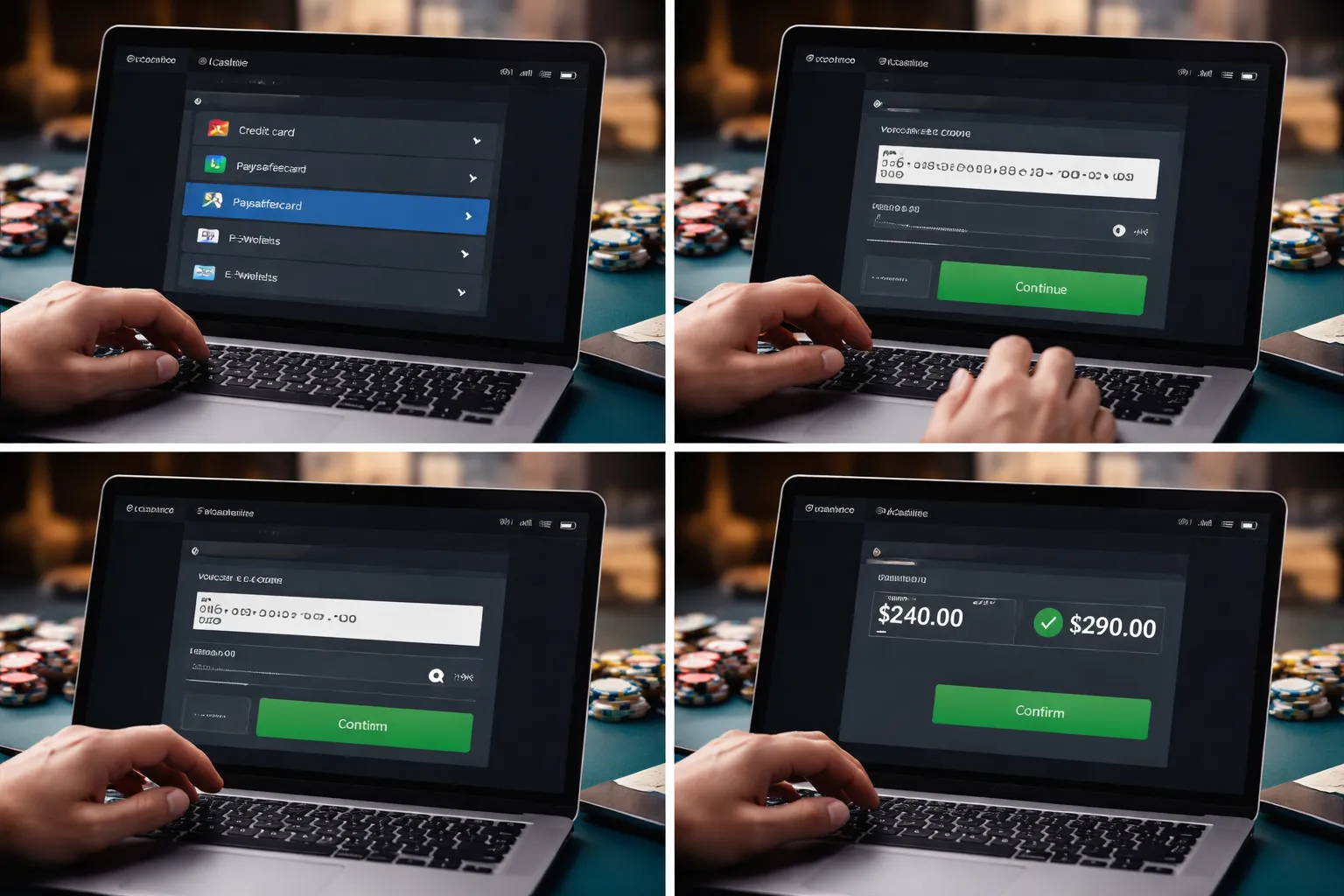
How voucher codes work and where to enter them in the cashier
Prepaid deposits use value you buy in advance. You pay cash or card at a store, online shop, or app. You receive a code or card number. You redeem it at the casino.
- Paysafecard, you buy a 16 digit PIN. Some regions also use a myPaysafecard account for higher limits.
- Prepaid Visa, you load the card, then deposit like a normal Visa card. You enter card number, expiry date, and CVV if required.
- Gift cards, you redeem in the cashier only if the casino supports that brand. Many casinos do not.
Cashier steps stay similar across sites.
- Log in, open the cashier, then select Deposit.
- Choose Paysafecard, Prepaid Card, or Voucher.
- Enter the code or card details, then enter the amount.
- Confirm. You should see the balance update within seconds.
If the cashier rejects your code, check three things. You typed the digits correctly. The voucher matches your country and currency. The code has not expired or been used.
Anonymity vs verification, what prepaid does and doesn’t protect
Prepaid reduces what you share at deposit. It does not remove identity checks.
- What it can protect, you do not share your bank login, and you may avoid giving the casino your main card number.
- What it does not protect, the casino can still require KYC. Expect ID, address proof, and payment checks before withdrawals.
- What it can trigger, higher fraud controls. Some casinos flag prepaid use, mixed payment methods, or many small deposits.
If you plan to withdraw, complete verification early. Do it before you deposit large amounts.
Common limitations, withdrawals, bonuses, and maximum top-ups
Prepaid methods often come with hard limits. Read the cashier notes before you buy vouchers.
- Withdrawals, many casinos do not pay out to vouchers or gift cards. You usually withdraw to bank transfer, card, or an ewallet in your name.
- Bonuses, some welcome offers exclude prepaid deposits. Others allow them but restrict max cashout on bonus wins.
- Maximum top-ups, prepaid Visa and gift cards often have load limits, daily spend limits, and online transaction blocks. Paysafecard can have per PIN caps, and higher limits may require an account.
- Fees, you may pay a retailer fee, an exchange rate markup, or an inactivity fee on some prepaid products. Use a single guide for cost checks like online casino fees.
Pros, cons, and best practices for budgeting with prepaid deposits
- Buy vouchers in the same currency as your casino account when possible.
- Keep receipts and voucher details until the funds show in your balance.
- Set a fixed weekly amount. Buy one voucher for that amount. Do not top up again that week.
- Avoid mixing methods. It can slow withdrawals and trigger extra checks.
- Before you deposit, confirm your withdrawal method. If the casino cannot pay you out to prepaid, set up a bank or ewallet first.
Deposit with cryptocurrencies (Bitcoin, Ethereum, USDT and more)
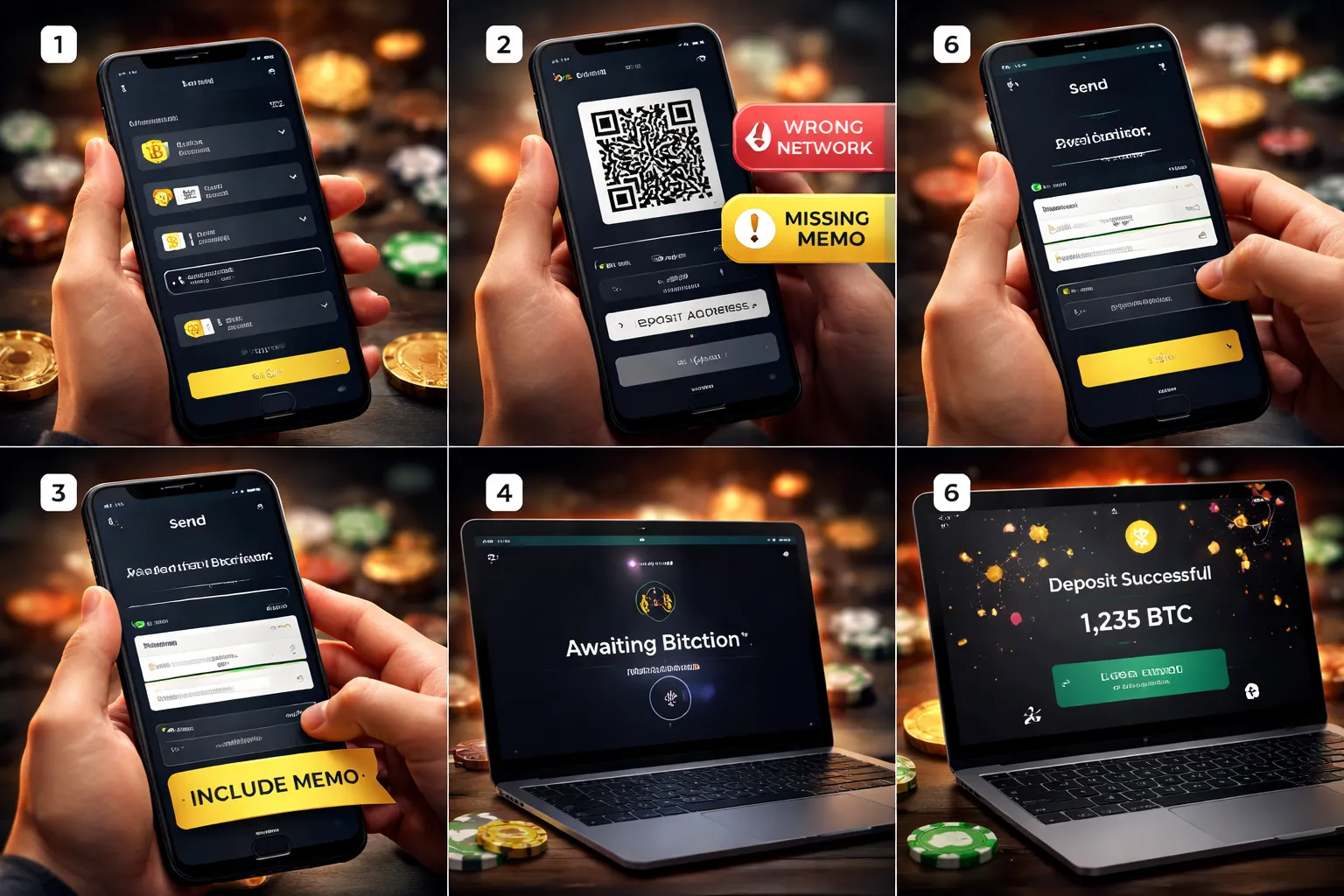
Deposit with cryptocurrencies (Bitcoin, Ethereum, USDT and more)
Set up a wallet and pick the right network
You need a crypto wallet or an exchange account that lets you send crypto. Use a wallet you control if you want fewer platform limits. Use a regulated exchange if you want easier buy options and clearer records.
Match the coin and the network. This matters more than the coin name. If you send on the wrong network, you can lose the funds.
- BTC, send on Bitcoin network only.
- ETH, send on Ethereum network only, unless the casino lists another supported network.
- USDT, choose the exact network shown by the casino, common options are ERC20, TRC20, BEP20, Polygon, Solana.
- USDC and other stablecoins follow the same rule, the network must match.
Do a small test send if you deposit a large amount or if it is your first time on that network. Then send the rest.
Crypto deposit walkthrough: address, QR codes, confirmations, memos
- Open the casino cashier. Choose Cryptocurrency.
- Select the coin, then select the network.
- Copy the deposit address or scan the QR code.
- Open your wallet or exchange. Tap Send.
- Paste the address. Check the first and last 4 characters. Confirm the network matches.
- Enter the amount. Review fees. Send.
- Save the transaction ID. You will use it for support if anything stalls.
- Wait for confirmations. The casino credits your balance after it sees enough confirmations on the blockchain.
Some coins require extra fields. If the casino shows a memo, tag, or payment ID, you must include it. If you skip it, the deposit can land in a shared wallet without a match to your account. Fixing this can take days and may require extra checks.
| Item | What you do | What happens if you get it wrong |
|---|---|---|
| Coin | Choose the same coin as the casino deposit option. | Funds may not credit, recovery may be impossible. |
| Network | Match the exact network name shown in cashier. | High risk of lost funds. |
| Address | Copy and paste, then verify start and end characters. | Funds go to the wrong wallet, no chargeback. |
| Memo, tag, payment ID | Enter it exactly as shown. | Deposit can get stuck until manual review. |
Volatility and stablecoins: control value changes
Crypto prices move fast. Your deposit value can change between the time you send and the time it credits.
- Use stablecoins like USDT or USDC if you want the deposit value to stay close to the amount you planned.
- If you use BTC or ETH, send right after you generate the deposit address. Do not wait.
- Check whether the casino shows the deposit in crypto or in fiat. Some casinos convert on arrival. Others track the coin amount.
- Factor in network fees. You pay them on top of the amount you want credited.
Pros, cons, and compliance checks
- Pros, fast transfers, wide access, no card declines, often low fees on some networks.
- Cons, wrong network errors can be final, refunds are rare, fees can spike on busy networks, price volatility on non stablecoins.
Expect compliance checks. Casinos can request KYC and source of funds proof, even if you deposit with crypto. You may need to show:
- ID and proof of address.
- Exchange statements or wallet screenshots that link deposits to you.
- Transaction hashes for deposits and withdrawals.
Keep your wallet and casino details consistent. Avoid switching deposit methods mid stream. It can slow withdrawals and trigger extra review. For a broader breakdown of speed, fees, and limits across options, see online casino payment methods compared.
Deposit with mobile payments (Apple Pay, Google Pay, carrier billing where available)
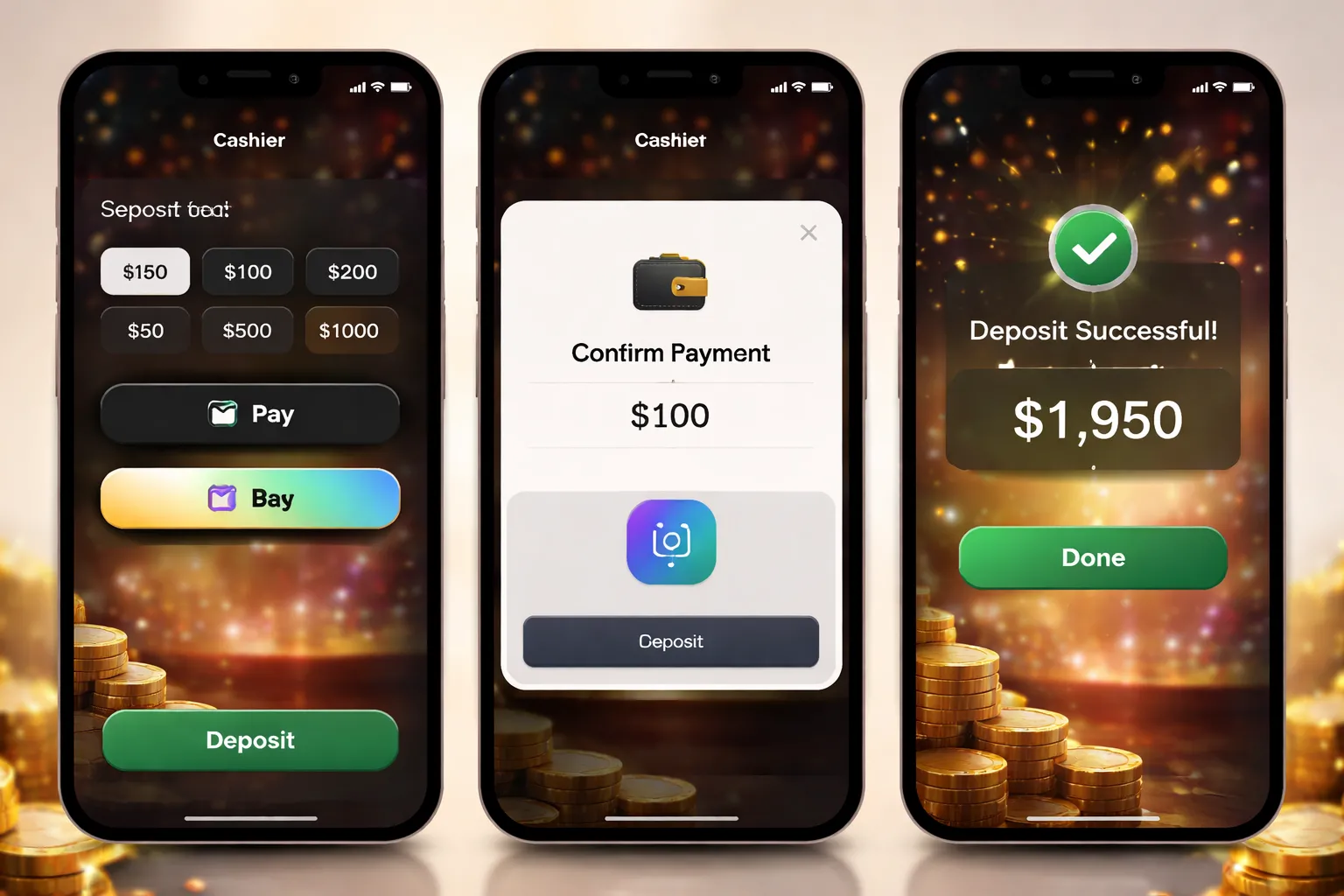
Deposit with mobile payments (Apple Pay, Google Pay, carrier billing where available)
Mobile payments let you fund your casino balance with your phone. Most casinos support Apple Pay and Google Pay through a payment processor. Carrier billing exists in some markets, but support stays limited.
Apple Pay and Google Pay, step by step in the cashier
- Step 1: Open the cashier. Log in, go to Deposit, pick Apple Pay or Google Pay.
- Step 2: Check your device and account. Use a supported phone, make sure your wallet has a verified card, and your device has a screen lock.
- Step 3: Enter your amount. Stay within the casino limit shown in the cashier.
- Step 4: Authenticate. Confirm with Face ID, Touch ID, fingerprint, or your device passcode.
- Step 5: Confirm the result. Wait for the success screen, then check your casino balance and the wallet transaction history.
Apple Pay usually requires an Apple device with Apple Pay set up. Google Pay usually requires an Android device with Google Wallet set up. Some casinos also allow Google Pay in Chrome on desktop, but many do not.
Device, browser, and authentication requirements
- Apple Pay: iPhone or iPad with Apple Pay enabled. You need Face ID, Touch ID, or a passcode.
- Google Pay: Android phone with Google Wallet enabled. You need fingerprint, face unlock, or a screen lock.
- Browser support: Many deposits work best in the casino app or on mobile Safari or Chrome. Private browsing can break wallet prompts.
- Pop ups and redirects: Some cashiers launch a wallet sheet or redirect to a processor page. Do not close it mid flow.
When mobile pay is a wrapper for your card
Apple Pay and Google Pay often charge the casino through the card you added to the wallet. That changes what you should expect.
- Bank declines still happen. If your bank blocks gambling, the wallet does not override it.
- Fees can still apply. The wallet may look free, but your card issuer can treat the charge as gambling. See online casino fees and transaction charges.
- Verification can trace back to the card. The casino can ask for card ownership proof, even if you used a wallet.
- Charge descriptors vary. Your statement may show a processor name, not the casino name.
Carrier billing where available
Carrier billing adds the deposit to your mobile phone bill or deducts it from prepaid credit. Casinos rarely offer it. Limits stay low. Chargebacks and refunds can get strict.
- Step 1: Choose carrier billing in the cashier.
- Step 2: Enter your mobile number if required.
- Step 3: Confirm via SMS code or carrier prompt.
- Step 4: Check your casino balance, then check your carrier account for the charge.
Speed, limits, and compatibility
| Method | Typical deposit speed | Common limit pattern | Compatibility notes |
|---|---|---|---|
| Apple Pay | Near instant | Often similar to card limits, can be lower per transaction | Best on iOS app or mobile Safari. Requires Apple Pay setup. |
| Google Pay | Near instant | Often similar to card limits, can be lower per transaction | Best on Android app or mobile Chrome. Desktop support varies by casino and processor. |
| Carrier billing | Near instant to a few minutes | Low caps, often daily and monthly carrier caps | Availability depends on country, carrier, and casino licensing. |
Pros and cons
- Pros: Fast approval, no manual card entry, fewer typo errors, works well on mobile.
- Cons: Still tied to your underlying card rules, inconsistent support across casinos, wallet prompts can fail on some browsers, withdrawals often go to a different method.
Troubleshooting wallet and biometric failures
- Wallet option missing: Switch to the casino app or a mobile browser. Update iOS or Android. Confirm the casino supports your region.
- Biometric failed: Use device passcode. Re-enable Face ID, Touch ID, or fingerprint in your device settings.
- Wallet sheet does not open: Disable private browsing. Allow pop ups. Turn off ad blockers. Try a different browser.
- Deposit pending or stuck: Do not retry right away. Check wallet history first. If you see a charge but no balance update, contact support with the wallet transaction ID and time stamp.
- Bank declined: Call your bank and ask them to allow gambling transactions. If they refuse, switch to a method that does not rely on card rails.
- Wrong card used in the wallet: Set the correct default card in Apple Pay or Google Wallet before you deposit.
Choosing the best deposit method for your needs (decision framework)
Fastest ways to start playing: what’s typically instant
If you want to play right away, pick methods that credit your casino balance in seconds.
- Instant in most cases: e-wallets, debit and credit cards, Apple Pay, Google Pay.
- Often instant but can vary: crypto deposits, depends on network and confirmations.
- Usually slow: bank transfer and ACH, often hours to a few business days.
Speed also depends on your account state. New accounts can trigger extra checks at the cashier. If you have not finished your profile, complete it before you fund. Use the same name and address you used when you create your casino account.
Lowest-fee options and how to spot hidden charges
Start with the fee stack. You can pay fees in three places, the casino, the payment provider, and your bank or card issuer.
- Often lowest total cost: debit card, bank transfer, ACH, some crypto networks.
- Can add extra fees: e-wallets, prepaid cards, some mobile wallets if they route through a card with cash-advance rules.
Check these lines before you click confirm.
- Casino cashier fee line: look for “fee,” “service charge,” or a lower net credit than your deposit amount.
- FX and cross-border fees: if the casino runs in a different currency, your bank can add a spread plus a foreign transaction fee.
- Cash advance coding: some issuers treat gambling deposits as cash advances. This can add a fee plus interest from day one.
- Crypto network fees: you pay miner or gas fees. They change with congestion. Avoid sending from exchanges that add extra withdrawal fees on top.
- Prepaid load fees: the card can charge to load, to maintain, and to withdraw later.
Do a small test deposit first. Record the amount sent and the amount credited. If they differ, you found the fee source.
Privacy-focused deposits vs verification realities
Privacy has limits. Casinos still need identity checks for legal compliance and to approve withdrawals.
- Most private at the payment layer: crypto, prepaid vouchers, some prepaid cards.
- Least private: bank transfer, ACH, debit and credit cards, because they tie directly to your identity and bank.
Plan for these realities.
- Expect KYC before cashing out: ID, proof of address, and sometimes a payment proof.
- Name matching matters: use a method in your legal name. Mismatches cause holds.
- Wallets do not replace KYC: an e-wallet can reduce what the casino sees about your bank, but the casino can still request documents.
- Crypto does not guarantee anonymity: blockchain transactions stay public. The casino can also ask for source of funds at higher amounts.
High-limit funding for VIP and high-stakes play: what usually qualifies
High limits come from methods with stronger verification and lower fraud risk.
- Most common for high limits: bank transfer, wire, ACH, and verified e-wallets with upgraded status.
- Can work for high limits: crypto, if the casino supports larger caps and you pass enhanced checks.
- Often capped lower: cards and mobile wallets, due to issuer limits and fraud controls.
What usually unlocks higher caps.
- Verified account: completed ID checks, confirmed email and phone, consistent deposit history.
- VIP or limits review: you request a raise, support asks for documents and sometimes proof of funds.
- Stable payment behavior: no chargebacks, no repeated declines, no frequent method switching.
If you plan to deposit large amounts, pick one primary method and stick with it. Method hopping can trigger risk flags.
Method availability matrix: how local banking rules affect your options
| Method | Works in most places | Common blockers | What to do |
|---|---|---|---|
| Debit and credit cards | High | Issuer blocks gambling, cash advance rules, cross-border processing | Call issuer, try debit over credit, use an e-wallet or bank transfer |
| Apple Pay and Google Pay | Medium to high | Depends on underlying card and region, wallet risk checks | Set the right default card, use a different card, switch to e-wallet |
| e-wallets | Medium | Provider not supported in your country, wallet limits, merchant category restrictions | Complete wallet verification, use a supported wallet, fall back to cards or bank |
| Bank transfer and wire | Medium | Bank policy, compliance checks, slower settlement | Ask bank about gambling merchants, use the exact reference code, plan lead time |
| ACH | Region dependent | Only available in some markets, bank verification holds | Use instant verification if offered, keep your bank details consistent |
| Crypto | Medium | Casino does not support your coin, local restrictions, exchange withdrawal limits | Use supported networks, send a small test, avoid wrong-chain transfers |
| Prepaid cards and vouchers | Region dependent | Limited availability, low caps, fees | Check load fees and limits, keep receipts for later verification |
Your best choice comes from three checks. First, confirm the method exists in your cashier. Second, confirm it can pass in your region and at your bank. Third, confirm it matches your goal, speed, cost, privacy, or limits.
Deposit limits, fees, and processing times (what casinos don’t explain well)
Minimum deposit rules, and why they change by method
Casinos set minimum deposits per payment rail, not per casino.
- Cards (debit, credit): Often low minimums, but your bank can block small test charges or treat the first deposit as higher risk.
- E-wallets: Usually low minimums. You may hit a wallet-level minimum or funding rule before the casino minimum applies.
- Bank transfer: Higher minimums are common. Banks also enforce their own minimum transfer amounts and cutoffs.
- Crypto: Minimums change with network fees. If the casino sets a low minimum but the chain fee spikes, your real minimum rises.
- Prepaid cards and vouchers: Minimums can look low, but load fees and fixed voucher values push your practical minimum up.
Check the cashier screen for the exact minimum for that method, in your currency. Do not assume the site-wide “minimum deposit” applies to every option.
Daily, weekly, and monthly caps, and how to raise them
Limits come from three places. The casino, the payment provider, and your bank.
- Casino limits: Set to manage risk and comply with rules. New accounts often start with lower caps.
- Provider limits: Wallets, card processors, and crypto gateways apply their own caps, even if the casino allows more.
- Bank limits: Your bank can cap card spend, cash-like transactions, and transfers. Some banks block gambling merchant codes.
Raising limits usually needs one of these steps.
- Complete verification: ID, address, and sometimes payment ownership. Casinos rarely raise caps on unverified accounts.
- Use a different method: If cards cap out, try bank transfer, wallet, or crypto if available in your region.
- Ask support for a review: Some casinos raise caps after a deposit history, or after extra checks. Expect questions and documents.
- Adjust your bank settings: Some banks let you raise daily card limits in-app. Some require a call.
One warning. A higher deposit limit does not mean a higher withdrawal limit. Check withdrawals before you scale up. Use safe deposit and withdrawal practices if you plan to move larger amounts.
Transaction fees vs currency conversion, where the real cost shows up
Casinos market “no deposit fees” while you still pay in other places.
- Card fees: Your bank may treat it as a cash advance. That can trigger a flat fee, interest from day one, and no grace period.
- E-wallet fees: The casino may charge nothing, but the wallet can charge for funding, transfers, or currency exchange.
- Bank transfer fees: Your bank may charge outgoing fees. Intermediary banks can take a cut on international wires.
- Crypto fees: You pay network fees. You may also pay an exchange fee to buy crypto, then a spread when converting back.
- Prepaid fees: You can pay to buy the voucher, load it, or redeem it. Some issuers add inactivity fees.
Currency conversion creates the biggest hidden cost.
- Casino base currency mismatch: If your deposit currency differs from the casino account currency, the casino or provider converts it. You pay a rate, plus a spread.
- Double conversion: Bank converts to EUR, then the casino converts to USD, or the wallet converts twice. This happens when you fund through an intermediary.
- DCC and “helpful” conversion screens: Some providers offer to convert for you at checkout. Decline if you can pay in the casino account currency.
Before you confirm, look for the final debited amount in your bank currency, the exchange rate used, and any extra fixed fee. If the cashier does not show it, your bank app will.
Pending deposits, why “instant” sometimes takes longer
Instant means the casino credits you fast after approval. Approval can still take time.
- Card authorizations: Your bank can hold the charge for checks. The casino may show “pending” until the processor confirms.
- Fraud checks: First deposits, new devices, VPN use, and mismatch details trigger manual review.
- Bank cutoffs: Bank transfers process in windows. Deposits started after cutoff can move the next business day.
- Crypto confirmations: The casino waits for enough block confirmations. Congested networks slow this down.
- Provider outages: Wallets and processors sometimes queue transactions during maintenance.
If a deposit stays pending, do three things. Save the transaction ID or receipt, check your payment app for the exact status, then contact support with the reference number and timestamp. Do not retry deposits until you confirm whether the first one will post.
Bonuses and wagering: how deposits affect your eligibility
Which deposit methods can get excluded from promotions
Casinos tie bonuses to specific payment rails. You need to read the promo terms before you deposit.
- Credit cards: Often excluded from welcome offers in some markets. Some sites allow the deposit but block the bonus.
- E-wallets: Commonly excluded from high value match bonuses. Some casinos allow free spins but not the cash match.
- Prepaid cards and vouchers: Frequently excluded from deposit match bonuses. These methods also tend to block withdrawals, which can void bonus eligibility.
- Cryptocurrency: Sometimes allowed only for crypto specific promos. Other promos may exclude it or cap the bonus.
- Bank transfer: Often allowed, but may not trigger instant bonus credit if the deposit posts later.
- Apple Pay and Google Pay: Terms vary. Some casinos treat them as card deposits and apply the same exclusions.
If the terms say “excluded banking methods,” assume you will lose the offer if you deposit with one of them. Switch method first, then deposit.
Bonus code placement, common mistakes that forfeit offers
Most bonus losses come from small input errors. Fix these before you click confirm.
- Code entered in the wrong field: Some cashiers have separate fields for “coupon,” “voucher,” and “bonus code.” Use the bonus code field.
- Code added after the deposit: Many casinos lock the offer at deposit time. You cannot add it later.
- Auto applied bonus conflicts with your code: If a welcome offer auto loads, your manual code may fail. Remove the auto offer, then enter the code.
- Minimum deposit missed: Example, bonus needs $20, you deposit $19.99 after fees or FX. Deposit above the minimum.
- Wrong first deposit: Some offers apply only to your first ever deposit. If you deposited earlier without claiming, you may not qualify again.
- Account not verified: Some casinos block bonus credit until you complete identity checks. Finish signup and verification early. Use the same details you used when you create your casino account.
Wagering requirements explained simply
Wagering means you must place bets worth a set multiple before you can withdraw bonus money, and sometimes the deposit too.
- Bonus wagering: You must wager a multiple of the bonus amount.
- Deposit plus bonus wagering: You must wager a multiple of your deposit plus the bonus. This is harder.
- Contribution rules: Some games count less toward wagering. Slots often count 100%. Table games may count 0% to 20%.
- Time limit: You may have 7, 14, or 30 days to finish. Miss it and you lose the bonus and winnings tied to it.
Quick example: You deposit $50 and get a $50 bonus with 30x bonus wagering. You must wager 30 x $50 = $1,500 on eligible games before you can cash out bonus funds. If the rule says 30x deposit plus bonus, you must wager 30 x ($50 + $50) = $3,000.
Banking rules that impact cashouts, withdrawal method matching and playthrough
Deposits affect withdrawals. Casinos use payout rules to prevent fraud and chargebacks.
- Withdrawal method matching: You usually must withdraw back to the same method you used to deposit, at least up to the deposit amount. Example, you deposit by Visa, you may need to cash out to Visa first. Extra winnings may go by bank transfer or wallet.
- Method limits: Some deposit methods cannot receive withdrawals, like many prepaid cards and vouchers. You may need to add a bank account or e-wallet before you can cash out.
- Open bonus blocks cashouts: If you have an active bonus, the casino may lock withdrawals until you meet wagering or you forfeit the bonus.
- Mixing methods can slow payouts: If you deposit with multiple methods, support may ask for proof of ownership for each one. Keep screenshots and statements.
- Chargeback risk flags: Card deposits can trigger extra review on big withdrawals. Keep your name, address, and cardholder details consistent.
Before you claim a bonus, pick one deposit method you can also withdraw with, then stick to it until you cash out.
Troubleshooting: what to do if your casino deposit doesn’t show up
Quick checks before you panic
- Confirm the transaction status. Open your banking app, e-wallet, or crypto wallet. Look for “Completed,” “Success,” or a final receipt. If you see “Pending,” the casino may not get the funds yet.
- Refresh your casino balance. Log out, close the app or browser tab, then log in again. Clear cache if you use a browser. If you cannot log in, fix that first using this guide on common sign-in issues.
- Check the payment provider logs. Many methods create a separate receipt inside the provider, not the casino. Check:
- Card. Bank authorization code, merchant name, and posted vs pending status.
- E-wallet. Transaction ID, merchant entry, and timestamp.
- Bank transfer. Reference number, transfer date, and beneficiary details.
- Crypto. TXID, chain, recipient address, and confirmations.
- Confirm you used the right currency. A deposit in the wrong currency can trigger a delay or rejection. This shows up often with cards and bank transfers.
- Check deposit limits. If your deposit exceeds the casino or method limit, you may see a partial capture, reversal, or pending hold.
Card-specific fixes
- Approve the bank security check. Some banks block gambling or first-time merchants. Open your bank app. Approve the charge, then retry.
- Complete 3D Secure. If you closed the verification pop-up, the bank may show an authorization attempt but the casino will not receive funds. Retry and finish the one-time code or biometric approval.
- Check spending controls. Look for settings like “online payments,” “international transactions,” “gambling transactions,” and “merchant category blocks.” Turn on what you need, then try again.
- Watch for pending holds. A failed or reversed attempt can sit as “pending” for a while. Your balance may drop, but the casino balance stays the same. The hold usually releases automatically.
- Match your details. Your casino profile name and address should match your cardholder details. Mismatches trigger extra checks and failed captures.
Crypto-specific fixes
- Verify the chain. The address must match the network the casino supports for that coin. Sending USDT on the wrong network is a common reason deposits never credit.
- Check memo or tag fields. Some coins and exchanges require a memo, tag, or payment ID. If you leave it blank or enter it wrong, the casino cannot auto-credit the deposit.
- Track confirmations. Casinos credit after a set number of confirmations. If the network is busy, you wait. Use a block explorer and check your TXID.
- Confirm the exact address. Compare the first and last 6 characters. If you pasted the wrong address, support usually cannot reverse it.
- Check exchange “processing” delays. If you sent from an exchange, the exchange may batch withdrawals. Your TXID may not appear right away.
When to contact support and what to send
Contact support when your provider shows “Completed” but your casino balance does not update after the usual processing window for that method, or when you see an error you cannot clear.
- Your casino username and registered email.
- Deposit amount and currency.
- Date and exact time, include your time zone.
- Method used. Card, e-wallet, bank transfer, prepaid, crypto.
- Provider transaction ID. Bank auth code for cards, wallet transaction ID for e-wallets, reference for bank transfers, TXID for crypto.
- Screenshots. Show the status as completed and the transaction details. Hide full card numbers. Keep the last 4 digits visible.
- For crypto. Coin, network, receiving address, TXID link, and memo or tag used.
- For cards. The merchant name shown by your bank and whether the charge is pending or posted.
Stick to facts. Ask support to confirm whether the deposit hit their processor, got rejected, or sits in manual review.
Chargebacks and disputes
- Use disputes only for true fraud or proven non-delivery. A chargeback reverses funds through your bank. Casinos treat it as high risk.
- Expect account restrictions. Many casinos freeze withdrawals, remove bonuses, or suspend the account after a chargeback. Some also block future deposits.
- Try support first. If the deposit shows “pending,” a chargeback can lock the situation for weeks.
- Keep your evidence. Save receipts, provider logs, chat transcripts, and email tickets. You will need them if the case escalates.
Responsible bankroll setup: depositing without overspending
Setting deposit limits and using operator tools proactively
Set limits before your first deposit. Do it while you feel calm. Do not wait for a losing session.
- Deposit limit. Caps how much you can add per day, week, or month.
- Loss limit. Caps how much you can lose in a set period.
- Wager limit. Caps total stakes placed. This helps if you chase with small bets.
- Session time limit. Triggers reminders or forced logouts.
- Cooling-off. Locks play for a short period, often 24 hours to 6 weeks.
- Self-exclusion. Locks the account for months or years. You cannot remove it early at most regulated sites.
Match limits to your pay cycle. If you get paid monthly, set monthly deposit limits. If you get paid weekly, set weekly limits.
Expect a delay on increases. Many regulated casinos apply higher limits after a waiting period. Treat that delay as protection, not friction.
Separating gambling funds from household finances
Keep gambling money away from rent, food, debt, and bills. Use separation that creates friction.
- Use a dedicated prepaid card or a separate e-wallet balance for gambling only.
- Disable overdraft on the account linked to deposits.
- Do not save card details in your casino cashier.
- Turn off one-click deposits where possible.
- Track deposits as a line item in your budget, not as “entertainment” with no cap.
If you use bank transfers, keep them manual. Avoid instant pay-by-bank if you struggle with impulse deposits.
Recognizing red flags of problem gambling and where to get help
Stop and get support if you notice any of these patterns.
- You deposit more to win back losses.
- You hide gambling spend from family or friends.
- You miss bills, borrow money, or use credit to deposit.
- You feel panic or anger after losses, then keep playing.
- You break your own limits, or you keep raising them.
- You gamble longer than planned, often late at night.
Use casino tools first. Set tighter limits. Start a cooling-off period. If you cannot control deposits, choose self-exclusion.
Get outside help if you feel stuck. In the US and Canada, call or text 988 for immediate mental health support. For gambling-specific support, use the National Council on Problem Gambling helpline at 1-800-522-4700 or ncpgambling.org. In the UK, contact GamCare at gamcare.org.uk. In Australia, use Gambling Help Online at gamblinghelponline.org.au.
Practical budgeting approaches (session caps, loss limits, and time blocks)
Use a simple bankroll plan. Define three numbers before you deposit, your session cap, your loss limit, and your time block.
| Control | Rule to set | What you do when you hit it |
|---|---|---|
| Session cap | Max deposit for this session, separate from weekly or monthly limits | Stop depositing. Log out. |
| Loss limit | Max you can lose today, tied to your budget | End play. Do not “reload.” |
| Time block | Fixed play window, for example 30 to 90 minutes | Quit at the timer. Do not extend. |
Keep stakes proportional to your cap. If you play fast games, use smaller bets. Speed increases variance and spend.
Review your deposits weekly. Compare planned spend to actual spend. If you miss the target twice, lower limits and add a cooling-off period.
If you want more protection steps at the cashier, read our online casino payment safety tips.
FAQ
What deposit methods do online casinos accept?
Most casinos accept debit cards, credit cards where allowed, e-wallets, bank transfer, prepaid vouchers, and crypto at some brands. Your options depend on your country, your bank, and the casino license. Check the cashier for method limits, fees, and processing times.
What is the fastest way to deposit?
E-wallets, cards, and instant bank transfer usually credit in minutes. Bank wire can take 1 to 5 business days. Crypto often credits after network confirmations. If speed matters, avoid manual bank transfers and use a method marked “instant” in the cashier.
Why did my card deposit get declined?
Common causes include bank blocks on gambling, failed 3D Secure, wrong billing details, low funds, card type not supported, or issuer limits. Call your bank to allow the merchant, then retry. If it still fails, switch to an e-wallet or instant bank transfer.
What should I do if my deposit does not show up?
First, check your casino balance, then your bank or wallet transaction list. Confirm the amount, currency, and reference. Wait for the stated processing time. If it is past that window, contact support with the transaction ID and screenshot.
Can I deposit with a different name than my casino account?
No. Most casinos require the payment method name to match your account name. Mismatches trigger reviews and can block withdrawals. Use your own card or wallet. If you made a mistake, contact support before you deposit again.
Do I need to verify my identity before I deposit?
Often you can deposit first, but you still need KYC before withdrawal or higher limits. Verify early to avoid payout delays. Use clear photos and matching details. Follow this guide on how to verify your identity.
Are there fees when you deposit?
Some methods charge fees from your bank, wallet, or crypto network. Casinos can also apply deposit fees in some regions. Always check the cashier fee note and your provider fee schedule. Small deposits can cost more as a percentage.
What deposit limits should I expect?
Limits vary by method and casino. Cards often have lower maximums than bank transfer. E-wallets can increase with verified status. Casinos can set per transaction, daily, and monthly caps. Your bank can add its own caps.
Can I deposit in a different currency?
Yes, but you may pay conversion costs. The casino or your payment provider converts at its rate, sometimes with a markup. To reduce costs, deposit in the casino base currency when possible. Check the cashier before you confirm.
Is it safe to deposit with crypto?
Crypto deposits can be secure, but mistakes are final. Use the correct coin, network, and address. Send a small test amount if you are unsure. Expect confirmation delays during congestion. Store wallet keys safely and use two-factor security.
Do I need to use the same method for withdrawals?
Usually yes. Many casinos follow return to source rules. You may need to withdraw to the same card, wallet, or bank used for deposits. If that method cannot receive payouts, support will offer alternatives after you pass KYC.
Conclusion
You deposit faster when you pick the right method for your goal. Use cards and e-wallets for speed. Use bank transfers for larger amounts. Use crypto when you want lower friction, but expect network delays.
- Match your deposit method to your withdrawal plan. Many casinos enforce return to source. Use a method that can also receive payouts.
- Keep your details consistent. Use the same name, address, and payment account owner every time.
- Set limits before you fund. Decide your budget. Stop when you hit it.
- Reduce holds and failed payments. Complete KYC early and keep your documents ready. Use this guide on how to verify your identity.
- Save proof. Screenshot confirmations and keep transaction IDs until you see the balance update.
Final tip. Make one small test deposit on a new method. Confirm it credits fast, then scale up.
-
Online Casino KYC Explained: Verification Process, ID Checks, Age Rules & AML
2 months ago -
How to Verify Your Identity at an Online Casino (and Get Approved Faster)
2 months ago -
Online Casino Payout Times Explained: How Long Withdrawals Take (and Why)
2 months ago -
How to Withdraw Money from an Online Casino: Methods, Steps & Tips
2 months ago -
How to Sign Up & Create an Online Casino Account (Step-by-Step)
2 months ago
-
- Navigating the cashier: where to find deposit and banking settings
- Choosing a payment option based on speed, privacy, and limits
- Entering deposit amount and applying promo or bonus codes correctly
- Confirming the transaction and saving receipts or screenshots for records
- How to check balance updates and transaction history inside your account
-
- Deposit with mobile payments (Apple Pay, Google Pay, carrier billing where available)
- Apple Pay and Google Pay, step by step in the cashier
- Device, browser, and authentication requirements
- When mobile pay is a wrapper for your card
- Carrier billing where available
- Speed, limits, and compatibility
- Pros and cons
- Troubleshooting wallet and biometric failures
-
- What deposit methods do online casinos accept?
- What is the fastest way to deposit?
- Why did my card deposit get declined?
- What should I do if my deposit does not show up?
- Can I deposit with a different name than my casino account?
- Do I need to verify my identity before I deposit?
- Are there fees when you deposit?
- What deposit limits should I expect?
- Can I deposit in a different currency?
- Is it safe to deposit with crypto?
- Do I need to use the same method for withdrawals?
-
-
- Navigating the cashier: where to find deposit and banking settings
- Choosing a payment option based on speed, privacy, and limits
- Entering deposit amount and applying promo or bonus codes correctly
- Confirming the transaction and saving receipts or screenshots for records
- How to check balance updates and transaction history inside your account
-
- Deposit with mobile payments (Apple Pay, Google Pay, carrier billing where available)
- Apple Pay and Google Pay, step by step in the cashier
- Device, browser, and authentication requirements
- When mobile pay is a wrapper for your card
- Carrier billing where available
- Speed, limits, and compatibility
- Pros and cons
- Troubleshooting wallet and biometric failures
-
- What deposit methods do online casinos accept?
- What is the fastest way to deposit?
- Why did my card deposit get declined?
- What should I do if my deposit does not show up?
- Can I deposit with a different name than my casino account?
- Do I need to verify my identity before I deposit?
- Are there fees when you deposit?
- What deposit limits should I expect?
- Can I deposit in a different currency?
- Is it safe to deposit with crypto?
- Do I need to use the same method for withdrawals?
-
-
Reload Bonus Explained: What It Is and When It’s Worth Claiming
1 week ago -
Online Casino Licensing Explained: Authorities, Licenses & How to Check One
2 months ago -
Best Live Dealer Casinos: Where to Play Live Blackjack, Roulette & More
2 months ago -
Best Online Casinos for High Rollers: VIP Perks, High Limits & Exclusive Bonuses
2 months ago -
Fast Payout Online Casinos: Best Sites for Quick Withdrawals
2 months ago
-
Online Casino Licensing Explained: Authorities, Licenses & How to Check One
2 months ago -
Online Casino Bonuses Explained: How They Work + Terms You Must Know
2 months ago -
Free Spins Bonus Explained: How Free Spins Work at Online Casinos
2 months ago -
Casino VIP & Loyalty Programs Explained: Points, Tiers, Rewards & Rakeback
2 months ago -
Best Online Casinos for Blackjack: Best Tables, Rules & Bonuses
2 months ago