How to Sign Up & Create an Online Casino Account (Step-by-Step)
Creating an online casino account takes a few minutes, but mistakes can cost you time. You may fail an ID check, miss a bonus deadline, or lock yourself out after bad login attempts.
This guide shows you the exact sign-up flow most licensed casinos use. You will learn where to find the registration form, which details you must enter, how to set secure login credentials, and what documents casinos ask for during verification. You will also learn how to confirm your email or phone, set deposit limits, and avoid common errors that trigger delays.
If you want the fastest path to approval, start with your documents and follow the standard KYC steps. Use our identity verification guide for a quicker, cleaner check.
Key Takeaways
- In het kort: Start at the casino’s official site or app, then open the sign-up form.
- In het kort: Enter your real details, they must match your ID and payment method.
- In het kort: Use a strong password and enable 2FA if available.
- In het kort: Confirm your email or phone right away to unlock key account actions.
- In het kort: Prepare KYC documents early to avoid verification holds.
- In het kort: Set deposit limits before you fund your account.
- In het kort: Read bonus and withdrawal terms before you opt in.
- In het kort: Use secure banking methods and follow basic payment hygiene, see online casino payment safety tips.
Most sign-up delays come from data mismatches and missing files. Use one name, one address format, and one phone number across your profile, ID, and payment account. Upload clear images, show all four corners, and avoid glare. Fix errors before you submit, casinos often flag repeated edits.
KYC checks focus on identity, age, and source of funds. Expect an ID document, proof of address, and sometimes a selfie or video check. If you want the cleanest path, keep your documents current and your profile complete on the first attempt.
Before You Sign Up: Pick a Safe, Legit Online Casino
Licensing and regulation checks
Start with the license. A real license gives you rules, audits, and a regulator that can act on complaints.
- UK: UK Gambling Commission (UKGC). Look for a license number and the operator name that matches the casino brand.
- Malta: Malta Gaming Authority (MGA). Check the license type and status on the MGA register.
- Gibraltar, Isle of Man: Common for international brands. Verify on the regulator site.
- US: State regulators only. Examples include New Jersey DGE, Pennsylvania Gaming Control Board, Michigan Gaming Control Board. If the site does not list a state license, treat it as unregulated.
- Canada: Provincial models vary. Ontario sites should show iGaming Ontario and AGCO oversight.
Do not rely on a logo in the footer. Click through to the regulator register and confirm the domain or operator entity. If the names do not match, walk away.
How to spot red flags
- No licensing details, no operator address, or no legal entity name.
- Bonus ads that skip key limits like max cashout, wagering, or game contribution.
- Terms that hide changes, like “we can void winnings at our discretion” without clear triggers.
- Withdrawal rules that feel designed to trap you, like large rollover after a deposit with no bonus.
- Support that fails basic checks, no live chat, slow replies, or copy paste answers.
- Broken pages for payments, terms, or responsible gambling tools.
Security basics to look for
- HTTPS: Your browser should show a secure connection. No HTTPS, no signup.
- Encryption and privacy: Look for a clear privacy policy that lists data use, retention, and who gets your data.
- 2FA: Prefer casinos that offer two factor authentication for login and withdrawals.
- Responsible gambling: You should see deposit limits, loss limits, session limits, time outs, and self exclusion.
If a casino makes it hard to control spending, it will not treat your account fairly when problems hit.
Game fairness and testing
Legit casinos use certified RNGs and audited game suppliers. You should see testing references in the footer, the terms, or the responsible gaming pages.
- RNG certification: Look for independent test labs such as eCOGRA, iTech Labs, GLI, or BMM Testlabs.
- Audited providers: Reputable studios publish RTP ranges and follow regulator rules. Unknown “in house” games with no testing info add risk.
- Version control: Some regulators require approved game versions. A licensed casino should list approved suppliers.
Payment reputation and cashout reality
Payments tell you how the casino will treat you after you win. Check methods, limits, fees, and withdrawal timing before you deposit.
- Deposit and withdrawal methods: Look for bank transfer, cards, and trusted e-wallets. Crypto only casinos add risk unless you know the operator and rules.
- Fees: Avoid sites that charge high withdrawal fees or hide “processing” costs in the terms.
- Processing time vs bank time: Casinos often quote internal processing, then your bank adds days. Know which clock they mean.
- Limits: Check min withdrawal, max per transaction, and weekly or monthly caps. Low caps can force many cashouts and delays.
- Name matching: Your casino profile name should match your payment method and ID, or you risk a failed cashout.
Review the casino’s stated timelines against real world expectations. Use this guide to benchmark online casino payout times.
| What to check | Good sign | Bad sign |
|---|---|---|
| License | Verifiable on regulator register, matching operator and domain | No license, mismatched company name, or expired status |
| Promotions | Clear wagering, max cashout, and eligible games listed upfront | Key limits hidden, vague “management discretion” clauses |
| Security | HTTPS, 2FA option, clear privacy policy, RG tools | No HTTPS, no account controls, unclear data handling |
| Fairness | RNG testing and reputable suppliers listed | No testing info, unknown providers, missing RTP details |
| Payments | Multiple trusted methods, clear fees, clear limits, stated timelines | High fees, tight caps, vague processing times, pushy upsells to withdraw |
What You Need to Create an Online Casino Account

Minimum age and location requirements
You must meet the casino’s legal age rule for your country or state. Most regulated sites enforce 18+ or 21+.
Your location matters because licensing works by jurisdiction. A casino may accept players in one region and block another. Geolocation checks enforce this.
- IP address: Flags your country and network. VPN use can trigger blocks, extra checks, or account freezes.
- GPS and device location: Common in mobile apps and some mobile browsers. You may need location services on.
- Wi-Fi and cell network data: Helps confirm where you are. Border areas can cause false flags.
- Payment location: Some banks and e-wallets decline gambling transactions outside approved regions.
Personal info you will enter during sign-up
Most casinos ask for the same core details. Enter everything exactly as it appears on your documents. Small mismatches cause KYC delays.
- Full legal name
- Date of birth
- Home address
- Phone number
- Email address
Some sites also ask for your nationality, occupation, or a security question. Many require you to set deposit limits during registration.
Documents to prepare for KYC
Most withdrawals and many first deposits trigger verification. Prepare your files before you register if you want faster cashouts. For full details, see online casino KYC explained.
- Proof of identity: Passport, national ID card, or driver’s license. Use a clear color image. Show all corners.
- Proof of address: Utility bill, bank statement, tax letter, or government letter. Many casinos require a recent document.
- Payment method proof: Depends on how you pay.
- Card payments: Photo of the card may be required. Some sites want parts of the number hidden. Never share your full CVV.
- E-wallets: Screenshot of your account profile or a transaction showing your name and email.
- Bank transfers: Bank statement or a screenshot that shows your name and IBAN or account number.
Use your own payment method. Third-party deposits often lead to failed verification and withdrawal holds.
Device and connectivity checklist
You can register on mobile or desktop. Use the option that gives you stable access to email, documents, and 2FA.
- Mobile: Fast sign-up, easier photo uploads. You may need GPS enabled for location checks.
- Desktop: Easier to manage files and banking tabs. Better for long forms and document scans.
- Browser support: Use a current version of Chrome, Safari, Firefox, or Edge. Old browsers break upload tools and payment pop-ups.
- App vs browser: Apps often handle biometrics and geolocation better. Browsers work fine if the site is optimized.
- Connection: Avoid public Wi-Fi when you upload ID. Network changes during sign-up can trigger risk checks.
Dedicated email and secure wallet strategy
Use a dedicated email for gambling accounts. Keep it separate from work, banking, and main personal inboxes.
- Create a unique email: Use it only for casinos. This cuts spam risk and keeps your account recovery messages easy to find.
- Use a strong password: Long and unique. Store it in a password manager.
- Turn on 2FA: Prefer an authenticator app over SMS when the casino supports it.
- Use a separate payments “wallet”: Pick one method and keep it consistent. This reduces source-of-funds questions.
- Keep names aligned: Your casino profile, email owner name, and payment account name should match.
- Keep records: Save deposit receipts and withdrawal confirmations. You may need them if a payment gets reviewed.
How to Create an Online Casino Account (Step-by-Step)
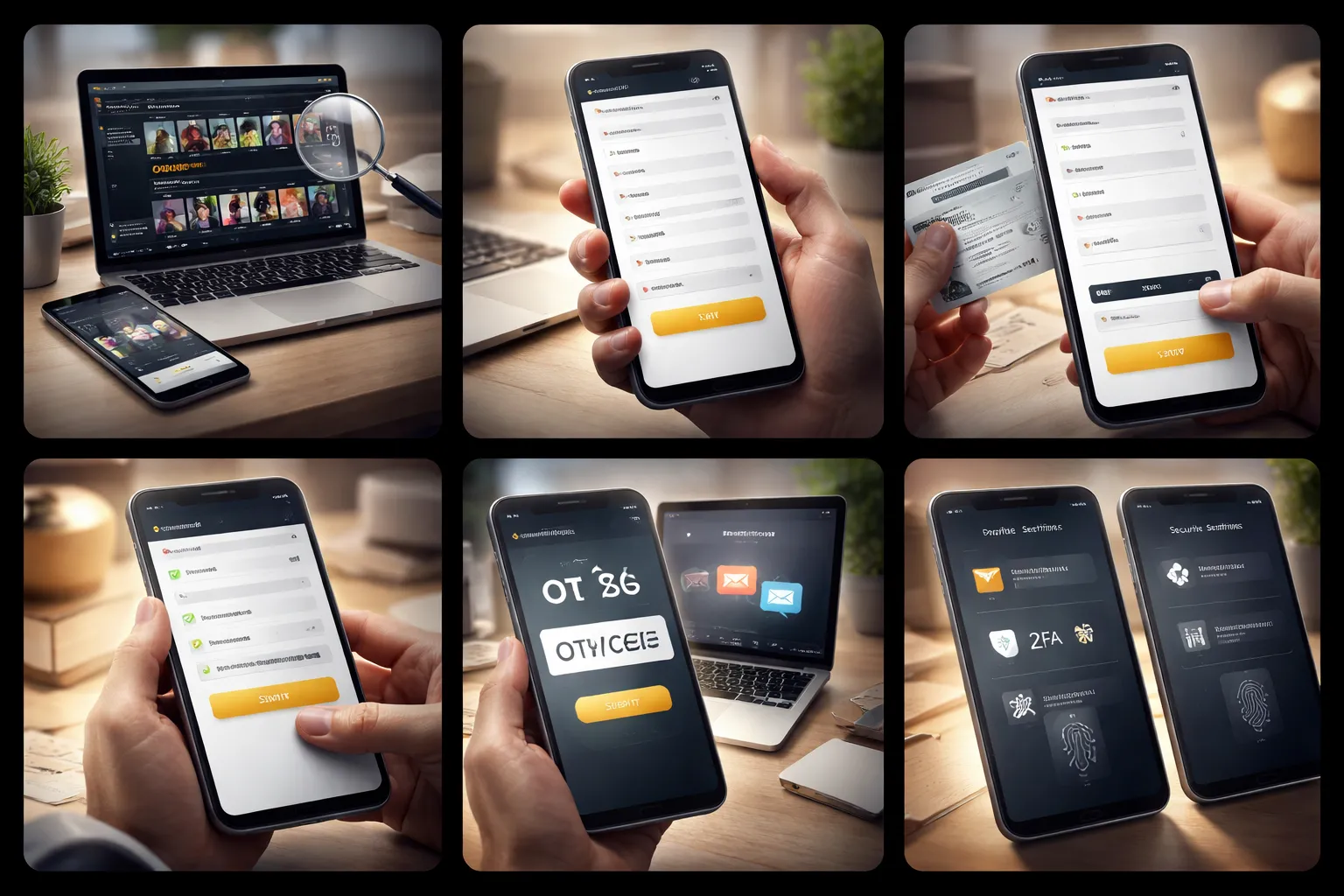
1) Navigate to the official site or app store listing
Type the casino URL yourself or use a trusted bookmark. Avoid links from ads, DMs, and pop-ups.
- Check the domain spelling, then check it again. Phishing domains often add a dash, extra letter, or different extension.
- Look for HTTPS and the padlock. It does not prove the site is legit, but you should never sign up without it.
- If you use an app, install only from Apple App Store or Google Play. Match the publisher name to the casino brand.
- Avoid APK downloads and “mirror” stores unless the casino support team confirms the exact link.
2) Open the registration form and choose account type
Tap Sign Up, Register, or Create Account. Some casinos offer more than one mode.
- Real money accounts let you deposit and withdraw. You must pass identity checks before cashing out.
- Demo or play for free lets you test games with no deposits. Availability depends on your country and the casino’s license.
- If you plan to play for real, sign up directly for real money. Switching later can trigger extra checks and duplicate accounts.
3) Enter personal details accurately
Use the same details that appear on your government ID. Small mismatches cause delays later.
- Legal first and last name. No nicknames.
- Date of birth and address. Use the exact format you use on bank statements or bills.
- Email and phone number you control. Do not use a work email or a shared family number.
- Country and state selection. Your location affects game access, bonuses, and payment options.
If the form asks for “middle name” and your ID has none, leave it blank. Do not add placeholders like “N/A” unless the field forces it.
4) Set login credentials
Use a strong password and store it in a password manager. Avoid reusing old passwords.
- Aim for 12 to 16+ characters. Use a unique mix of letters, numbers, and symbols.
- Do not use personal info like your birthdate, pet name, or phone number.
- Enable a password manager to generate and save the password. This removes guessable patterns.
- If the casino lets you set security questions, treat answers like passwords. Store them in your manager.
5) Confirm your email and phone
Most casinos send an email link or an OTP code by SMS. Complete this step right away.
- Email link: open it on the same device and browser you used to register when possible.
- SMS OTP: enter the code quickly. Many expire in 5 to 10 minutes.
- If the email does not arrive, check spam, promotions, and blocked senders. Search your inbox for the casino name.
- If SMS fails, confirm your country code, remove spaces, and retry after 1 to 2 minutes. Some carriers block short codes.
- If you use a VPN, turn it off for verification. Risk systems often flag mismatched locations.
6) Complete profile settings
Finish your account setup before you deposit. These settings can affect withdrawals and limits.
- Currency: choose carefully. Many casinos lock this after your first deposit.
- Language: set it to reduce mistakes in terms, limits, and payment screens.
- Communication preferences: opt out of promo messages if you want fewer offers and fewer bonus restrictions to track.
- Responsible gaming: set deposit, loss, or time limits now if you want hard guardrails.
Before you deposit, review your payment plan. Match the payment account name to your casino profile. Use one method when possible. For a full breakdown, read our online casino payment methods guide.
7) Enable account security features
Lock the account down before you add money. This reduces fraud and account takeover risk.
- 2FA: use an authenticator app when available. Save backup codes in your password manager.
- Login alerts: turn on email or SMS alerts for new device logins.
- Session controls: end other sessions after login, or enable “log out everywhere” if offered.
- Device and withdrawal security: enable withdrawal confirmation prompts when available.
Identity Verification (KYC): How It Works and How to Pass Faster
Identity Verification (KYC): How It Works and How to Pass Faster
Why casinos require KYC
KYC means Know Your Customer. Licensed casinos use it to meet legal rules and reduce risk.
- Legal compliance: Casinos must confirm your identity and age. Many regulators also require anti money laundering checks.
- Fraud prevention: KYC blocks stolen cards, fake accounts, and bonus abuse. It also reduces chargebacks.
- Responsible gambling: Verification helps casinos enforce self exclusion lists and age limits.
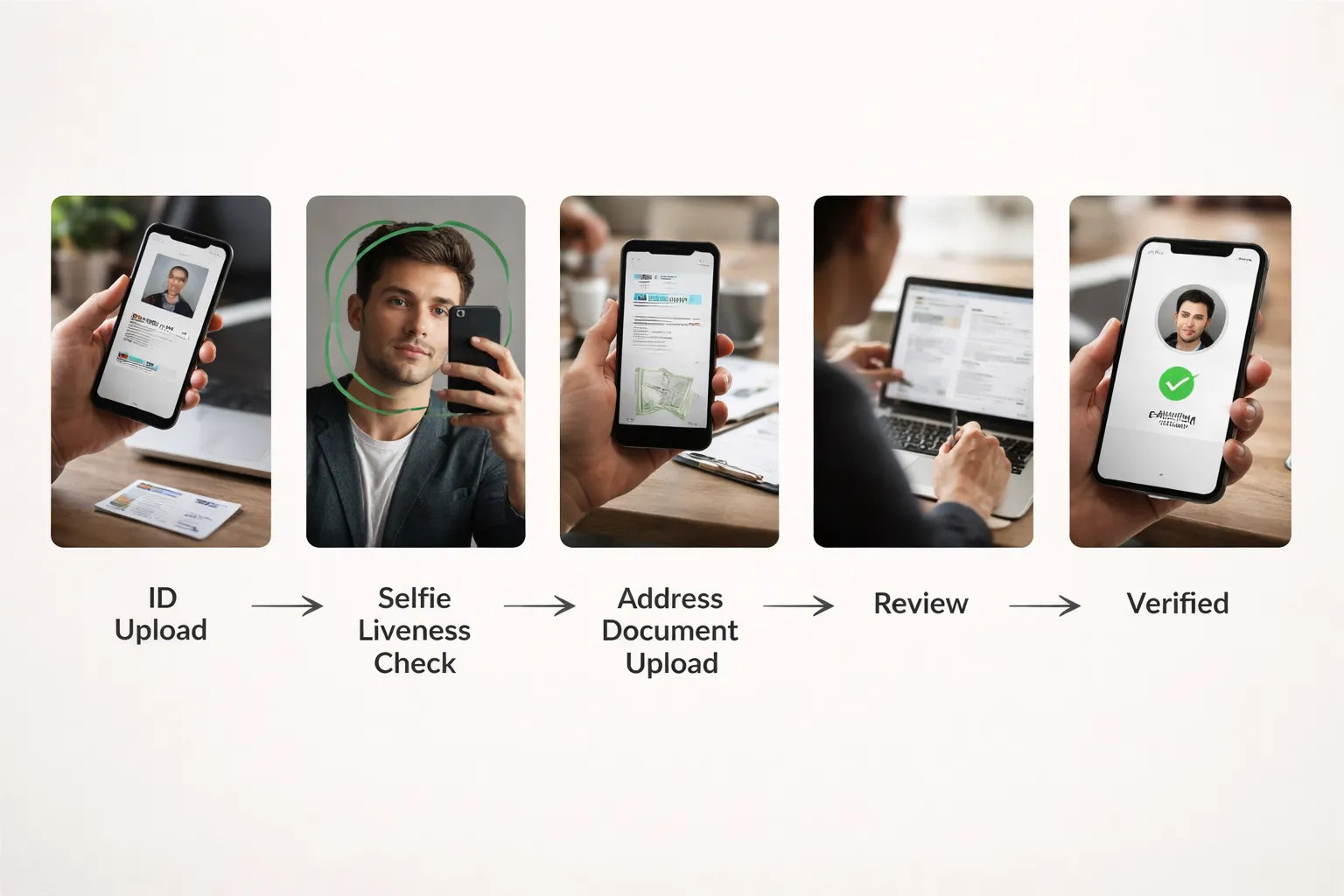
Typical verification steps
- Personal details check: Your name, date of birth, and address must match your documents.
- ID document upload: Passport, national ID, or driver license. Some sites ask for front and back.
- Selfie or liveness check: A selfie, a short video, or a head turn prompt. The goal is to match you to your ID.
- Address validation: Utility bill, bank statement, tax letter, or official government mail. Many casinos require a recent date.
- Payment method check: Some casinos ask for proof you own the card or e wallet. This often triggers at withdrawal.
What to upload for each check
| Check | Common accepted proof | Fastest option |
|---|---|---|
| ID | Passport, national ID card, driver license | Passport photo page or national ID with clear front and back |
| Selfie | Selfie photo, selfie video, app based liveness scan | In app liveness scan in good light |
| Address | Utility bill, bank statement, government letter | Bank statement PDF with full name and address |
| Payment | Card ownership proof, e wallet profile page, bank account proof | E wallet account page showing your name and email |
Common rejection reasons
- Blurry or cut off images: Edges missing, glare on holograms, or low resolution photos.
- Mismatched details: Nickname vs legal name, old address, wrong date of birth, or different spelling.
- Expired documents: An expired ID almost always fails.
- Wrong document type: Uploading a screenshot when the casino requires a PDF or full photo.
- Address proof too old: Many casinos require recent documents, often within 90 days.
- Unsupported country or ID: Some brands accept only specific document formats per region.
- Multiple accounts: Duplicate profiles can trigger a manual review.
How long verification takes
Some casinos verify in minutes. Others take 24 to 72 hours. Manual reviews can take longer.
- Automated checks finish faster: Clean images and a supported ID speed this up.
- First withdrawal slows things down: Many casinos run extra checks when you request a payout.
- High risk triggers manual review: New device, VPN use, large withdrawal, or many failed uploads.
- Weekends and holidays add delay: Smaller support teams create backlogs.
How to pass KYC faster
- Use your full legal name. Match your ID.
- Enter your current address. Match your address proof.
- Upload color images. No filters. No edits.
- Use bright light. Avoid glare and shadows.
- Capture all corners of the document. Keep text sharp.
- Send the document type the casino asks for. Follow file size rules.
- Avoid VPNs during signup and verification. Use one device if possible.
If verification gets stuck
- Check status in your account: Look for a message, missing step, or a request for a reupload.
- Reupload with better files: Use a higher resolution photo or a PDF statement. Keep details readable.
- Send alternatives: If a utility bill fails, use a bank statement or government letter with the same address.
- Contact support with specifics: Provide your username, date submitted, document type, and the exact error text.
- Ask for manual review: If automated checks keep failing, request a human review and confirm accepted formats.
- Do not keep submitting random files: Too many attempts can trigger extra fraud checks.
- Withdrawal blocked because of KYC: Review common payout blocks and fixes in why your casino withdrawal was rejected.
Depositing Money After Registration
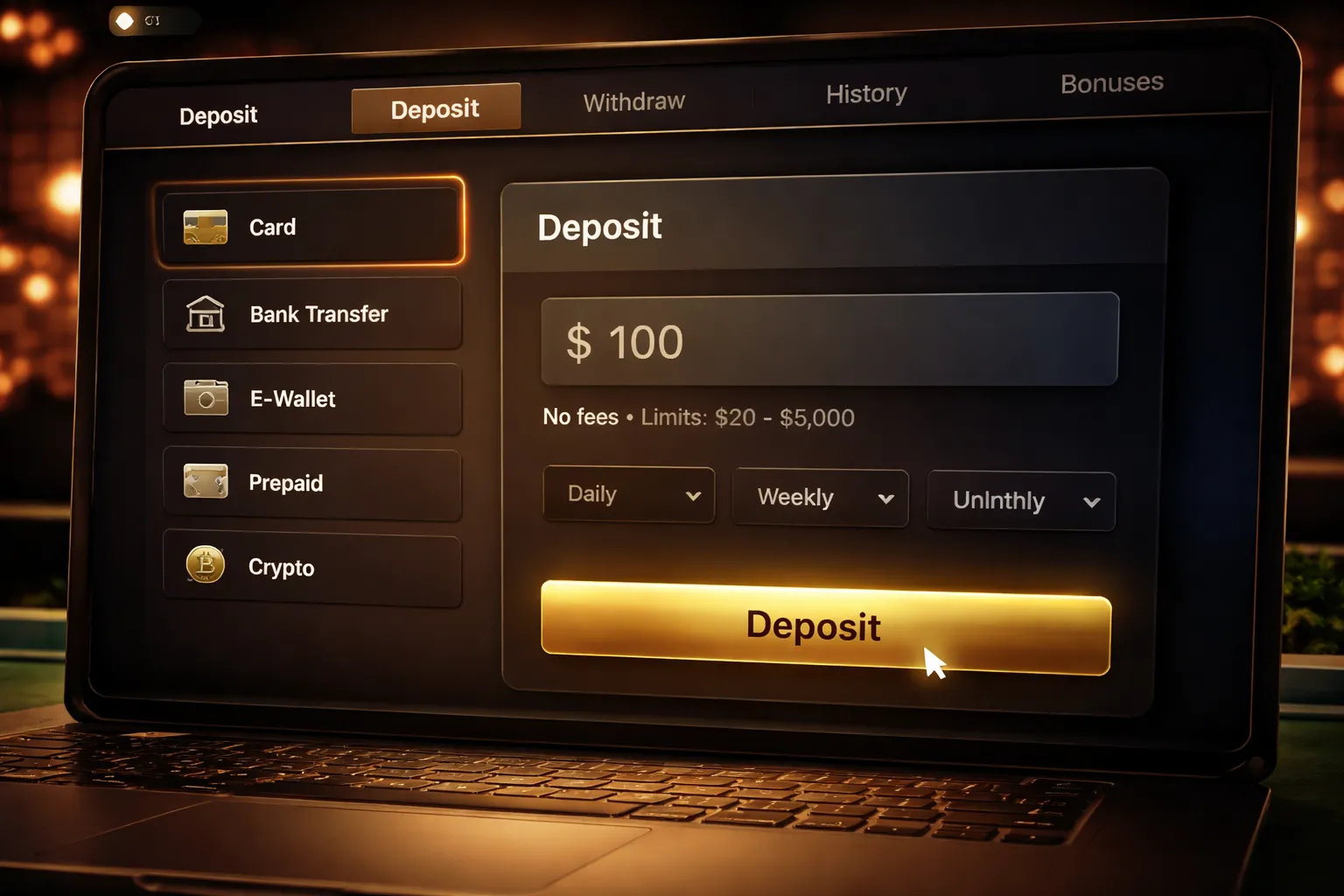
Where to find the cashier and choose a payment method
Log in, then open the cashier. Look for “Cashier”, “Banking”, “Deposit”, or a wallet icon.
- Select Deposit.
- Pick your currency if the casino supports more than one.
- Choose a payment method. Use the same method later if you want smoother withdrawals.
- Enter your deposit amount. Stay within the posted minimum and maximum.
- Complete the payment steps. Some methods redirect you to your bank or wallet app.
Before you confirm, check the fine print in the cashier for fees, limits, and bonus restrictions tied to that deposit.
Popular deposit methods explained
- Debit and credit cards. Fast. Banks may block gambling charges. Many casinos require 3D Secure approval.
- Bank transfer. Good for larger deposits. Slower. Some banks use open banking tools that approve in minutes, others take longer.
- E-wallets. Fast and private. You fund the wallet first, then pay the casino. Some casinos limit bonuses or withdrawals on certain wallets.
- Prepaid vouchers. You pay with a code. Strong for budget control. Often weaker for withdrawals, you may need a bank account or wallet for cashouts.
- Crypto where legal. Usually fast once confirmed. Rate swings matter. Some casinos convert to fiat on deposit.
If you want fewer payout delays later, deposit with a method that supports withdrawals in your country. Keep records of the funding source.
Deposit limits, fees, and processing times to expect
| Method | Typical processing | Common fees | What to watch |
|---|---|---|---|
| Cards | Instant to a few minutes | Often none, sometimes a card handling fee | 3D Secure, bank gambling blocks, daily card limits |
| Bank transfer | Same day to 1 to 3 business days | Possible bank fees | Reference codes, name match, processing cutoffs |
| E-wallets | Instant | Usually none at the casino, wallet top-up fees may apply | Wallet KYC, currency conversion fees |
| Prepaid | Instant | Voucher purchase fee may apply | Lower limits, limited withdrawal paths |
| Crypto | Minutes to an hour, depends on confirmations | Network fees | Correct network, correct address, minimum deposit rules |
Check three numbers before you deposit. Minimum deposit, maximum deposit, and any daily or weekly cap tied to your account tier or verification status.
How to avoid declined deposits
- Pass 3D Secure. Use the correct phone, banking app, or one-time code. A failed 3DS attempt often declines the charge.
- Clear bank gambling blocks. Some banks block gambling merchant codes by default. Allow gambling transactions in your banking app or call support.
- Match your identity details. Use the same name and country on your casino account and payment account. Mismatches trigger fraud rules.
- Check your funds and limits. Available balance can differ from ledger balance. Cards also have per-transaction caps.
- Use the right currency. Depositing in one currency and playing in another can add conversion fees or trigger declines.
- Do not spam retries. Repeated failed attempts can freeze deposits or flag your account. Fix the cause first, then try once.
If you keep getting blocked, switch to an alternative method with fewer bank controls, like an e-wallet, or review your payment safety setup using online casino payment safety tips.
Responsible budgeting tips
- Set a deposit limit. Use weekly or monthly caps. Pick a number you can lose without borrowing.
- Turn on reality checks. Use session timers and pop-ups that show time spent and net results.
- Use a bankroll rule. Split your bankroll into small units. Keep each bet small versus your total. Stop when you hit your loss limit.
- Avoid chasing. Do not raise stakes to win back losses. End the session and come back later.
Budget first. Deposit second. Your cashier history should match your plan, not your mood.
Claiming Bonuses the Right Way (Without Getting Trapped by Terms)
Bonus Types You See During Sign-Up
Casinos push bonuses at registration and first deposit. Each type changes your risk and your withdrawal speed.
- Welcome bonus. A bundle. Often a matched deposit plus free spins.
- Matched deposit. The casino adds a percentage of your deposit as bonus funds.
- Free spins. Usually tied to specific slots. Winnings often convert to bonus funds.
- No-deposit bonus. Small credit or spins for registering. Usually strict limits and fast expiry.
- VIP bonuses. Ongoing offers based on play. Higher limits, sometimes better terms, still rules.
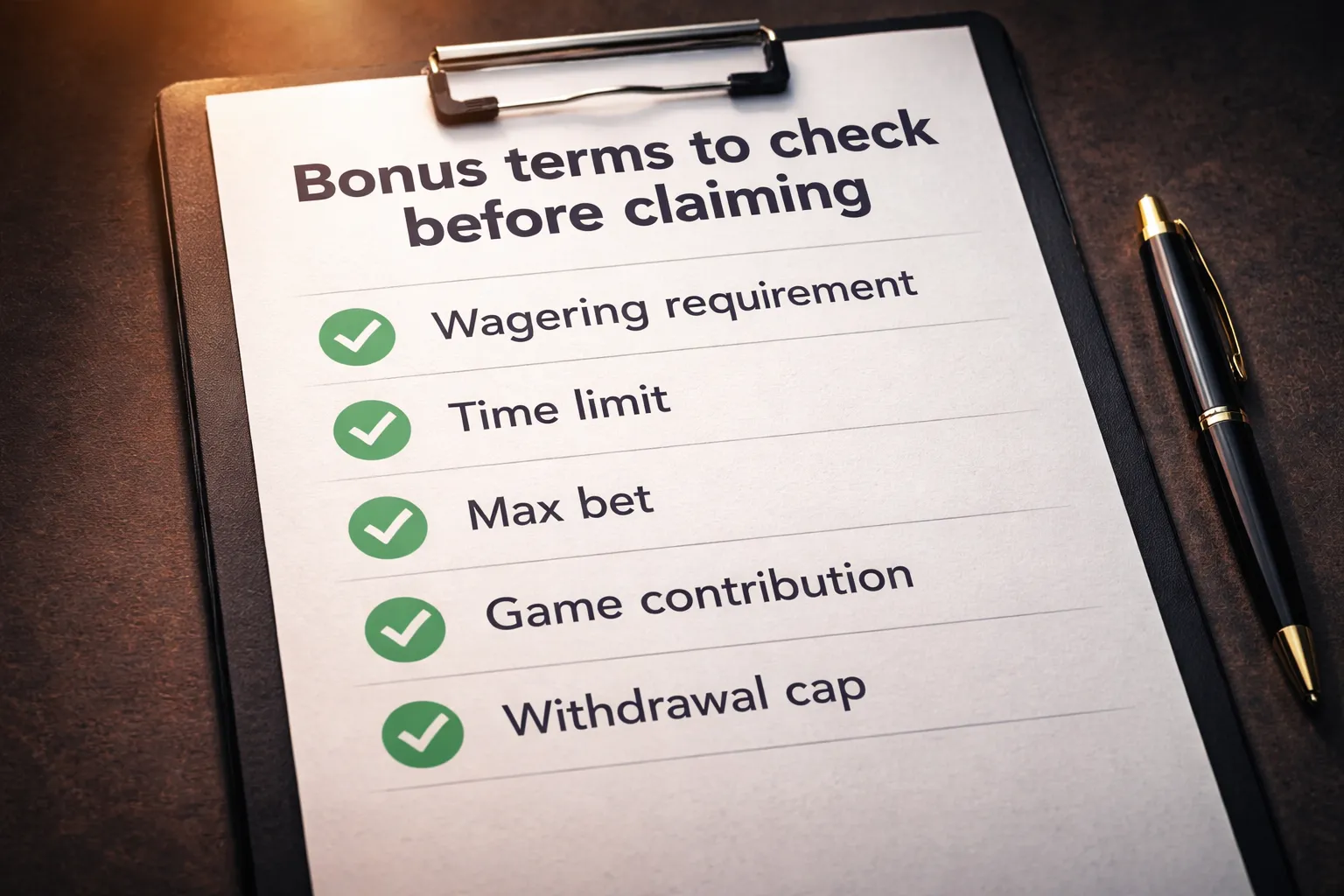
Terms to Read First, Before You Click “Claim”
Read these items first. They decide what you can withdraw and how fast.
- Wagering requirement. The multiplier you must bet before you can withdraw bonus-linked money. Example, 30x bonus means you must place bets equal to 30 times the bonus amount.
- Wagering basis. Some casinos apply wagering to bonus only. Others apply it to bonus plus deposit. Bonus plus deposit increases the total required play.
- Time limit. A countdown, often 1 to 30 days. If you miss it, you lose the bonus and sometimes related winnings.
- Max bet rule. A cap per spin or per hand while you have an active bonus. Many casinos enforce a low ceiling. If you exceed it, they can void winnings.
- Game contribution. Slots may count 100%. Roulette and blackjack often count less, sometimes 0%. Low contribution means slower progress and higher risk of expiry.
- Withdrawal and win caps. Common on no-deposit offers. You may only cash out up to a fixed amount, even if you win more.
- Restricted games and features. Some bonuses ban progressives, bonus buys, or certain table games.
Opt-In and Promo Codes, Where You Usually Enter Them
Most bonus problems start with a missed opt-in or a wrong code. Know where to look.
- During sign-up. A checkbox or dropdown for “Welcome offer”. A field for “Promo code” may sit under password or email.
- In the cashier. On the first deposit screen, look for “Bonus”, “Offers”, “Use code”, or “Apply promo”. Select the offer before you confirm the deposit.
- In the promotions page. Some casinos require you to click “Opt in” inside the promo tile before depositing.
If your deposit goes through without the bonus, do not keep playing. Contact support first. Your bet history can lock in the mistake.
If you need help with the deposit flow itself, follow this step-by-step deposit guide.
When Skipping a Bonus Is the Better Move
Bonuses trade flexibility for extra bankroll. If you want control, skip the offer.
- You want fast withdrawals. Active bonus wagering often blocks cashouts until you finish or forfeit.
- You prefer low wagering. If the multiplier feels heavy, you will force volume and lose discipline.
- You plan to play table games. Low contribution can make the bonus useless.
- You use larger bets. Max bet rules can clash with your normal stake size.
- You hate restrictions. Game lists, expiry timers, and caps turn small mistakes into forfeits.
A clean deposit with no bonus often gives you the simplest path to withdrawable funds.
Track Progress and Avoid Bonus Violations
You avoid traps by tracking four numbers and following one rule set.
- Required wagering. Note the exact amount you must bet to finish.
- Time remaining. Set a reminder before the deadline.
- Max bet limit. Write it down. Do not “test” higher spins.
- Eligible games. Stick to games that count. Avoid 0% contribution games during the bonus.
| What you do | What you track | Why it matters |
|---|---|---|
| Claim the offer | Bonus type, code, opt-in confirmation | Stops “bonus not applied” disputes |
| Start playing | Max bet rule, restricted games | Prevents voided winnings |
| During the session | Wagering remaining, time left | Prevents expiry and forced chasing |
| Before withdrawal | Bonus status, pending wagering | Avoids blocked cashouts |
Use the casino’s bonus meter, then back it up with your own notes. Log date claimed, deposit amount, bonus amount, wagering target, and max bet. Keep stakes under the limit until the bonus ends.
Withdrawing Winnings: Requirements, Steps, and Common Issues
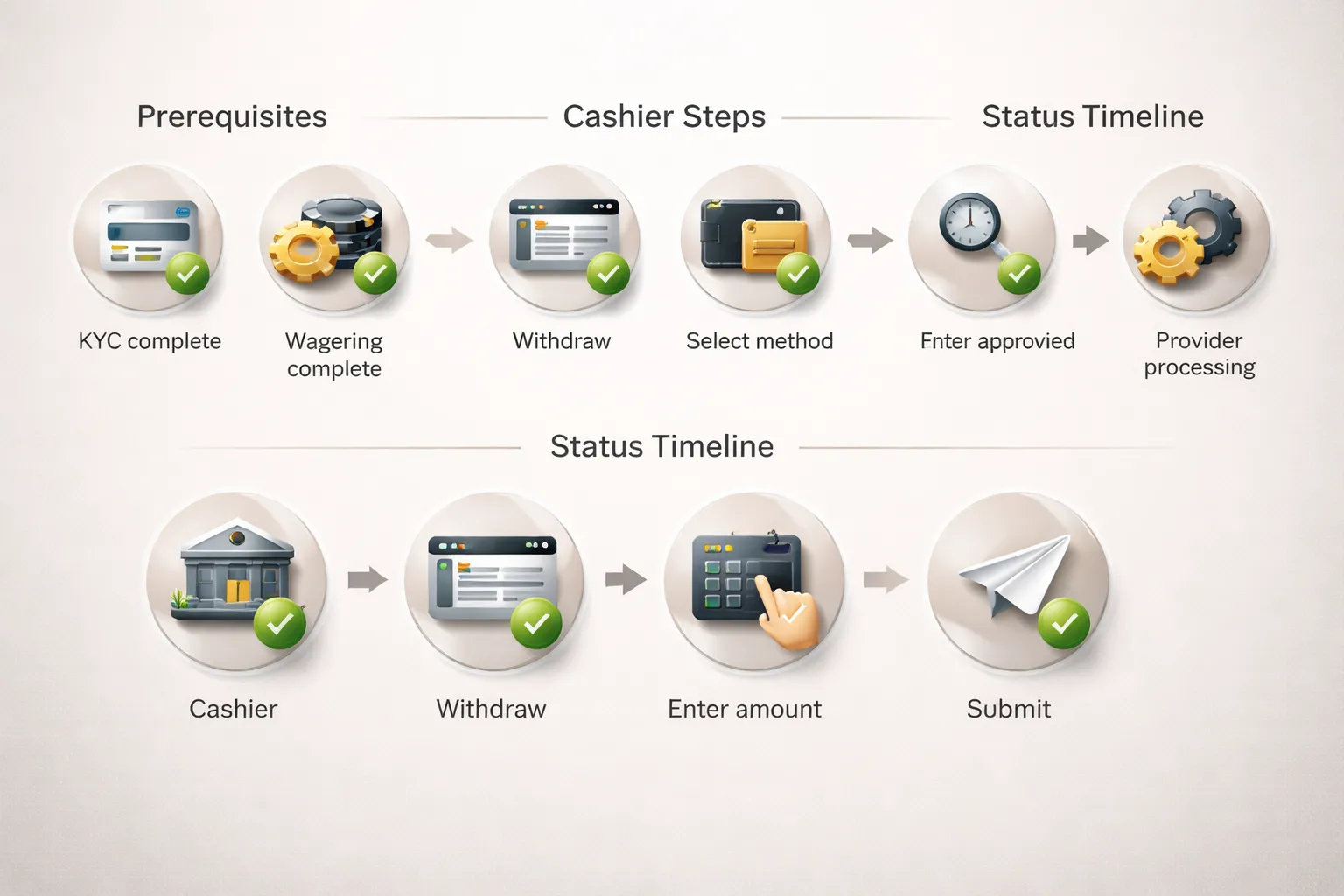
Withdrawal prerequisites
- Finish verification. Complete KYC before your first cashout. Upload clear ID, proof of address, and payment proof if requested.
- Clear wagering. Your bonus meter must show wagering complete. Check any remaining playthrough and max bet rules before you request a withdrawal.
- Use an eligible method. Some deposit methods do not support withdrawals. If your deposit method cannot receive payouts, the casino will move your withdrawal to an alternative method in your name.
- Match your details. Your casino profile name, payment account name, and documents must match.
- Meet minimum and maximum limits. Each method has its own cashout range. Plan around daily, weekly, and monthly caps.
How to submit a withdrawal request
- Go to Cashier, then Withdraw.
- Select your withdrawal method.
- Enter the amount. Stay within method limits.
- Confirm your destination, bank account, card, or wallet address. Check every digit.
- Review fees, if shown, and the expected processing time.
- Submit the request, then save the confirmation screen or email.
- Track status in the cashier, look for Pending, Approved, Paid, or Rejected.
Typical processing timelines
| Stage | What it means | Typical time |
|---|---|---|
| Pending review | Casino checks KYC, bonus status, limits, and payment risk flags. | Minutes to 48 hours, longer on first withdrawal or weekends. |
| Approved | Casino has released the payment to the provider. | Often same day. |
| Provider processing | Bank, card network, or wallet processes the transfer. | E-wallets often hours to 24 hours, cards often 1 to 5 business days, bank transfers often 1 to 7 business days. |
Use the status label to tell where the delay sits. If it stays on Pending, the casino has not released it yet.
Reasons withdrawals get delayed
- KYC missing or unclear. Blurry photos, expired ID, cropped documents, or mismatched addresses trigger rechecks.
- Payment method mismatch. You deposited with one method but try to withdraw to a different one, or the payout account sits in another person’s name.
- Chargebacks and reversals. Any dispute on deposits can freeze withdrawals until the case closes.
- Bonus terms still apply. Unmet wagering, excluded games, max bet breaches, or bonus money still active can block cashouts.
- Account risk flags. Multiple accounts, VPN conflicts with casino rules, or unusual payment patterns can trigger extra review.
- Limits hit. You requested more than the method limit or you hit your daily, weekly, or monthly cap.
- Bank details errors. Wrong IBAN, routing number, or wallet address sends the withdrawal back.
If your cashout gets rejected, use this checklist first, then see common reasons a casino withdrawal gets rejected for next steps.
Best practices for smooth cashouts
- Verify early. Do KYC right after signup or right after your first deposit, not after you win.
- Keep names consistent. Use the same legal name everywhere. Do not use a partner’s card or bank account.
- Stick to one deposit method. It simplifies source of funds checks and speeds up approvals.
- Finish bonuses cleanly. Track wagering progress, max bet, and excluded games. Stop bonus play before you request a withdrawal.
- Plan around limits. Split large withdrawals into allowed chunks if needed, and expect multiple payments.
- Save proof. Keep deposit receipts, withdrawal confirmations, and support chat transcripts.
- Check pending time before you play again. Some casinos cancel a pending withdrawal if you place new bets.
Account Safety, Privacy, and Responsible Gambling Controls
Privacy, Data Sharing, and Device Permissions
You give a casino personal data when you open an account. Most sites collect your name, date of birth, address, email, phone number, and payment details. They also log IP address, device ID, browser data, and session activity.
- Share only what the form requires. Do not add extra details in free text fields.
- Use a dedicated email. Keep casino messages separate from banking and work.
- Set marketing preferences on day one. Opt out of SMS, calls, push notifications, and third-party promos if you do not want them.
- Limit app permissions. Deny contacts, photos, microphone, and location unless the app needs them to function. Allow notifications only if you want security alerts.
- Review cookies settings. Reject non-essential tracking cookies when the site offers a choice.
Fraud Prevention Basics
Account fraud usually starts with weak passwords or phishing. Treat your casino login like a banking login.
- Use a unique password. Do not reuse passwords from email or social accounts.
- Turn on two-factor authentication. Use an authenticator app if available.
- Watch for phishing. Do not click login links from emails or ads. Type the URL yourself or use a saved bookmark.
- Use secure Wi-Fi. Avoid public Wi-Fi for deposits and withdrawals. If you must use it, use a trusted VPN.
- Avoid shared devices. Do not log in on work computers, internet cafes, or a friend’s phone. If you do, log out and clear the browser session.
- Keep your device clean. Update your OS and browser. Remove unknown extensions.
Responsible Gambling Controls to Set Immediately
Set limits before you deposit. Limits reduce damage during a bad session. Most casinos let you set changes that apply right away, but increases often trigger a cooling-off delay.
- Deposit limits. Set daily, weekly, and monthly caps. Pick a number you can lose without stress.
- Loss limits. If offered, cap your net loss over a time period.
- Wager limits. Limit total stakes over a day or week.
- Session limits. Set a maximum time per session. Add reality checks if available.
- Timeouts. Use a short break option when you feel tilted. Common ranges run from 24 hours to several weeks.
- Self-exclusion. Use this when you want a hard stop. Many regulators require minimum terms, often months or longer.
Do not rely on willpower. Use tools that block play at the account level.
If You Think Your Account Got Compromised
Act fast. Assume a thief will try to change your email, cash out, or add a new payment method.
- Change your password. Do it from a clean device. Update your email password too.
- Enable 2FA. Remove any unknown trusted devices if the site shows them.
- Freeze withdrawals. Ask support to lock withdrawals and payment method changes.
- Check your payment activity. Review deposits, reversals, chargebacks, and new cards or e-wallets added to the account.
- Document everything. Save timestamps, emails, chat logs, and transaction IDs.
- Contact your payment provider. If you see unauthorized charges, report them and follow their dispute process.
If the casino asks for verification during a security review, follow their steps and keep your files consistent with your original registration details. Use this guide to understand the checks: online casino KYC.
Account Closures and Data Retention
Casinos can close or restrict accounts for compliance, fraud risk, duplicate accounts, bonus abuse, chargebacks, failed verification, or breached terms. Some closures block bonuses but still allow withdrawals after checks.
- Ask for the reason in writing. Request the specific policy or rule they cite.
- Expect retention rules. Many regulated casinos must keep identity, login, and transaction records for a set period under AML and licensing rules.
- Request deletion where allowed. You can often ask to erase marketing profiles and optional data, but the casino may still retain compliance records.
- Keep your own records. Save verification approvals, deposit receipts, and withdrawal confirmations.
Close accounts only after you settle pending withdrawals and bonus conditions. A closure request does not always cancel open transactions.
Troubleshooting Sign-Up Problems (Quick Fixes)
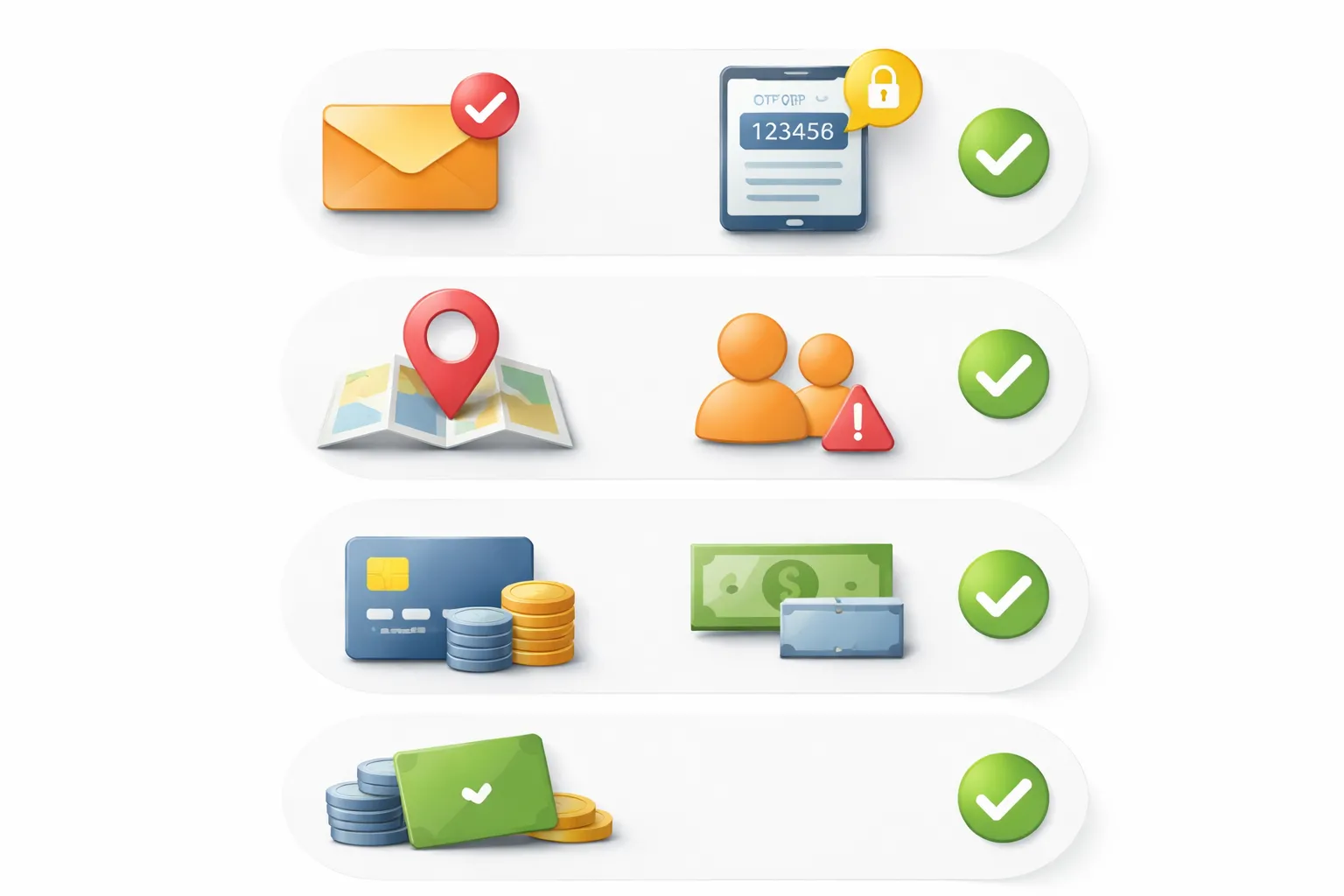
Email verification link not working
- Check spam and promotions. Search your inbox for the casino name and “verify”. Move the email to Primary, then click the link.
- Open the newest email. Old links often expire after 10 to 30 minutes, or after you request a new one.
- Resend the verification email. Use the “Resend” button on the sign-up screen. Wait 2 to 5 minutes before requesting again.
- Copy and paste the URL. If the button does nothing, copy the full link into your browser address bar.
- Try a different browser or device. Disable ad blockers and privacy extensions for that site. Clear cookies for the casino domain.
- Check the email address you entered. One wrong character sends the link to someone else. Fix it in your profile if the site allows edits.
- Ask support to verify manually. Tell them the timestamp of the email, your username, and the exact error message.
Phone OTP not received
- Wait and retry once. SMS delivery can lag. Request a new code after 60 to 120 seconds.
- Check your number format. Use the correct country code. Remove leading zeros if the form requires it.
- Avoid VoIP numbers. Many casinos block Google Voice and similar services for compliance reasons. Use a standard mobile SIM.
- Turn off Wi-Fi calling and VPN. Some carriers route messages differently. A VPN can also trigger fraud filters.
- Stop roaming if possible. Roaming can block short codes. Switch to a local SIM or use the casino’s call option if offered.
- Check carrier blocks. Ask your carrier to allow short-code and international SMS, and to remove spam filters for that sender.
- Use an alternate method. If available, switch to email OTP or app-based verification.
Location or age restriction errors
- Enable location services. Turn on GPS and allow the casino site or app to access your location.
- Disable VPN, proxy, and remote desktop. Many casinos block these. They can trigger an automatic “restricted location” result.
- Fix device and browser permissions. In your browser settings, allow Location for that site. Then reload the page.
- Use a stable connection. Public Wi-Fi and mobile hotspots can misroute your IP. Try your home network or mobile data.
- Confirm your DOB matches your documents. Use your legal name and real birth date. One mismatch can fail age checks.
- Know the legal limits. If the casino does not serve your state or country, you cannot sign up. Support cannot override this.
Duplicate account warnings
- Stop creating new accounts. Multiple sign-ups can lock you out and delay verification.
- Try account recovery. Use “Forgot password” and “Resend verification” instead of registering again.
- Check for old registrations. Search your email for past welcome emails, verification links, and receipts.
- Do not change core identity details. Name, DOB, and address must match your ID. Edits can trigger more flags.
- Contact support with proof. Provide your email, phone, and the error text. Ask them to merge accounts or close the extra profile.
- Clarify shared household issues. If you share Wi-Fi, device, or payment method with someone else, tell support. Many systems flag this.
Payment method not available in your region
- Check the cashier after you set your country. Some sites hide methods until your profile country and currency match.
- Use local alternatives. Look for bank transfer, debit card, e-wallets, prepaid vouchers, or instant banking options offered in your region.
- Match deposit and withdrawal methods. Many casinos require you to withdraw back to the same method where possible.
- Ask support these questions.
- Which deposit methods work in my country and state?
- Which methods support withdrawals, not just deposits?
- What are the minimum and maximum limits per transaction?
- Do you charge fees, or does the provider charge fees?
- Do you require verification before my first withdrawal?
- Do not use workarounds. VPNs and out-of-region cards can trigger closures and payment holds. If a cashout stalls, see pending withdrawals.
FAQ
How long does it take to create an online casino account?
Most sign-ups take 2 to 5 minutes. Verification can take 5 minutes to 24 hours, depending on the casino and your documents. If your name, address, or date of birth do not match, approval takes longer.
What information do you need to register?
You usually need your full name, date of birth, home address, email, and phone number. You also set a password and choose a currency. Some casinos ask for your SSN or the last four digits to run ID checks in regulated markets.
Do you need to verify your identity to play?
Some casinos let you deposit and play before checks finish. Most require verification before your first withdrawal. Expect to upload an ID and proof of address. If you delay verification, your cashout can pause or get rejected.
What documents do casinos ask for during verification?
Common requests include a passport or driver’s license, a utility bill or bank statement for address, and sometimes a selfie. If you use cards, they may ask for a photo of the card with the middle digits covered.
Why does my casino account get rejected or closed during sign-up?
Common causes include being underage, being outside the allowed region, duplicate accounts, mismatched personal details, or failed ID checks. VPN use and out-of-region payment methods also trigger closures and payment holds.
Can you have more than one account at the same casino?
No. One person, one account. Casinos treat extra accounts as bonus abuse or fraud risk. You can lose bonuses and balances. If you forgot an old login, use password reset or contact support before you register again.
How do you choose a safe online casino to sign up with?
Pick a licensed operator in your region. Check who regulates it, the complaint history, and clear terms for withdrawals and bonuses. Avoid sites with unclear ownership, vague limits, or payment methods that only support deposits.
Why can you deposit but not withdraw?
You may need to complete verification, meet wagering requirements, or use a withdrawal-supported method. Some methods work for deposits only. Your bank can also block gambling payouts. See our online casino payment methods comparison for fees, speed, and limits.
How do you avoid sign-up and payout problems?
- Use your real name, address, and date of birth.
- Register from your allowed region, without VPNs.
- Verify early, before you request a withdrawal.
- Use one payment method that supports withdrawals.
- Read bonus terms before you opt in.
Is it safe to share your SSN or ID?
In regulated markets, casinos use ID checks to meet legal and anti-fraud rules. Share documents only through the casino’s secure upload page. Do not email full documents unless support instructs you through an official ticket.
What should you do if verification or withdrawal is stuck?
Check for missing documents, expired ID, or unread messages in your account inbox. Match your payment method name to your account name. Contact support with your ticket ID and upload timestamps. If needed, review why a cashout gets rejected.
Conclusion
You can open an online casino account in minutes. Your payout speed depends on what you do next.
- Use your real name, address, and date of birth. Match your payment method details.
- Verify early. Upload clear photos, valid ID, and proof of address. Keep file sizes within limits.
- Turn on 2FA. Use a strong, unique password. Do not reuse old logins.
- Save records. Keep screenshots of deposits, bonus terms, and support tickets.
Final tip. Do a small test deposit and a small withdrawal on day one. It confirms your payment method, checks limits, and exposes KYC issues before you play bigger. If your cashout still stalls, use this guide on why your online casino withdrawal is pending and fix the exact cause fast.
-
Online Casino Payment Safety Tips: How to Deposit and Withdraw Securely
8 months ago -
What to Do If an Online Casino Won’t Pay Out: Step-by-Step Actions
8 months ago -
How to File a Complaint Against an Online Casino (Plus ADR Explained)
8 months ago -
Online Casino Login Problems: Fixes for Common Sign-In Issues
8 months ago -
How to Withdraw Money from an Online Casino: Methods, Steps & Tips
8 months ago
-
- How long does it take to create an online casino account?
- What information do you need to register?
- Do you need to verify your identity to play?
- What documents do casinos ask for during verification?
- Why does my casino account get rejected or closed during sign-up?
- Can you have more than one account at the same casino?
- How do you choose a safe online casino to sign up with?
- Why can you deposit but not withdraw?
- How do you avoid sign-up and payout problems?
- Is it safe to share your SSN or ID?
- What should you do if verification or withdrawal is stuck?
-
-
- How long does it take to create an online casino account?
- What information do you need to register?
- Do you need to verify your identity to play?
- What documents do casinos ask for during verification?
- Why does my casino account get rejected or closed during sign-up?
- Can you have more than one account at the same casino?
- How do you choose a safe online casino to sign up with?
- Why can you deposit but not withdraw?
- How do you avoid sign-up and payout problems?
- Is it safe to share your SSN or ID?
- What should you do if verification or withdrawal is stuck?
-
-
Reload Bonus Explained: What It Is and When It’s Worth Claiming
6 months ago -
Online Casino Licensing Explained: Authorities, Licenses & How to Check One
8 months ago -
Best Live Dealer Casinos: Where to Play Live Blackjack, Roulette & More
8 months ago -
Best Online Casinos for High Rollers: VIP Perks, High Limits & Exclusive Bonuses
8 months ago -
Fast Payout Online Casinos: Best Sites for Quick Withdrawals
8 months ago
-
Online Casino Customer Support: What to Look For (Live Chat, Email, Response Times)
8 months ago -
Sign Up for an Online Casino: Create an Account in Minutes
8 months ago -
Online Casino Payment Safety Tips: How to Deposit and Withdraw Securely
8 months ago -
What to Do If an Online Casino Won’t Pay Out: Step-by-Step Actions
8 months ago -
How to File a Complaint Against an Online Casino (Plus ADR Explained)
8 months ago