How to Verify Your Identity at an Online Casino (and Get Approved Faster)
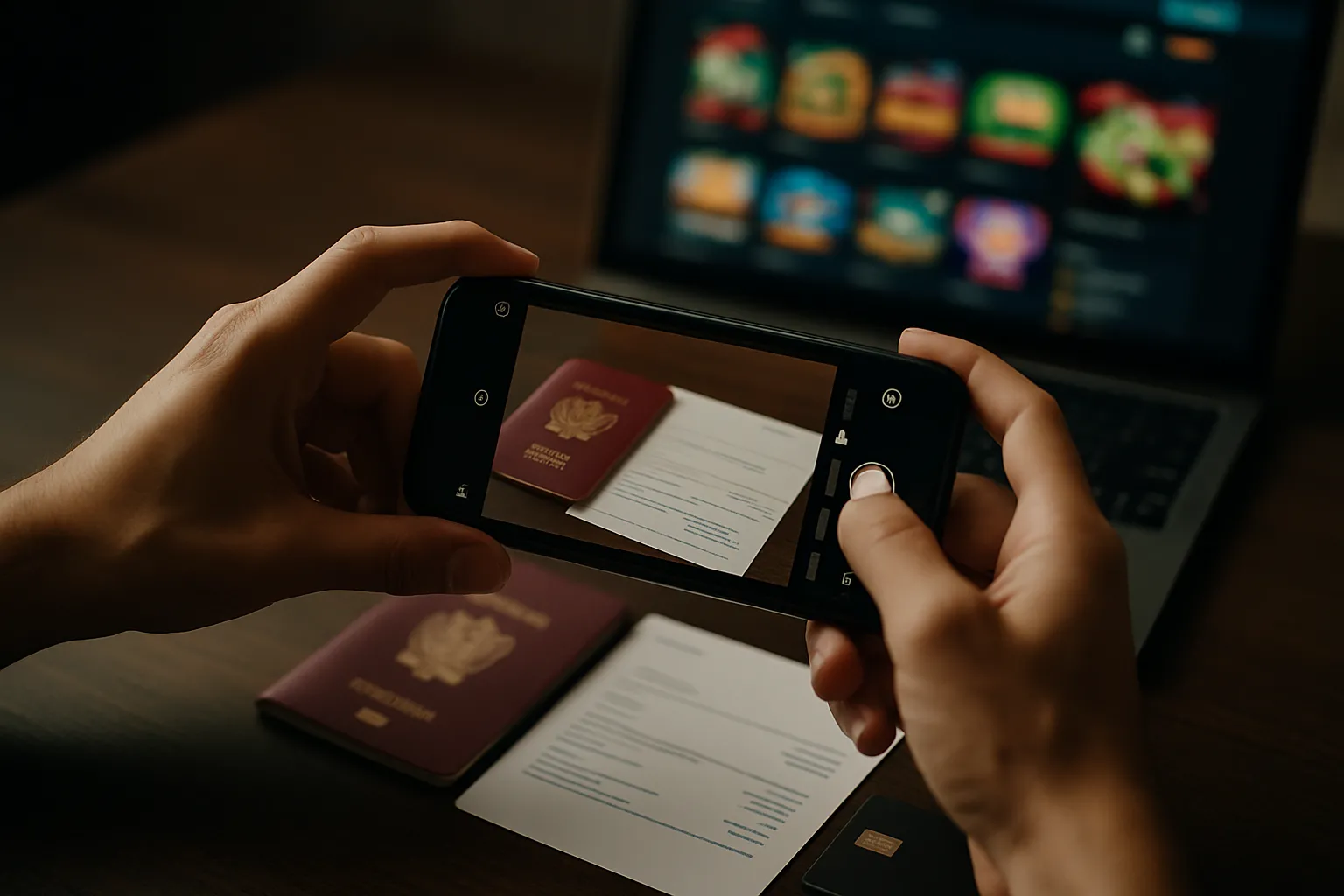
Online casinos now verify your identity before they let you withdraw, raise limits, or claim some bonuses. This is KYC, know your customer. Casinos use it to meet licensing rules and cut fraud, money laundering, and underage play. If you submit the wrong document or a blurry photo, you trigger manual review. That adds days.
This guide shows you how to pass verification fast. You will learn what documents casinos accept, how to take photos that get approved, how to match your name and address across accounts, and what to do if your check stalls. You will also learn when to verify, before you deposit or right before a withdrawal.
After you get approved, use these online casino payment safety tips to keep your deposits and withdrawals smooth.
Key Takeaways
- In het kort: Verify early, before you deposit or before your first withdrawal.
- Use one identity, one address, one spelling across your casino profile, bank, and e-wallet.
- Upload the right documents, government ID plus proof of address, plus payment proof when asked.
- Send clean images, full document visible, no glare, no blur, no cropped corners.
- Match your details to your documents, including middle names, accents, and house number format.
- Avoid edited files; casinos often reject screenshots and altered PDFs.
- Fix stalls fast; check email requests, reupload in the requested format, and contact support with your case ID.
- If a withdrawal fails, review the most common causes in online casino KYC rules.
What casino verification (KYC) is—and why it can slow you down
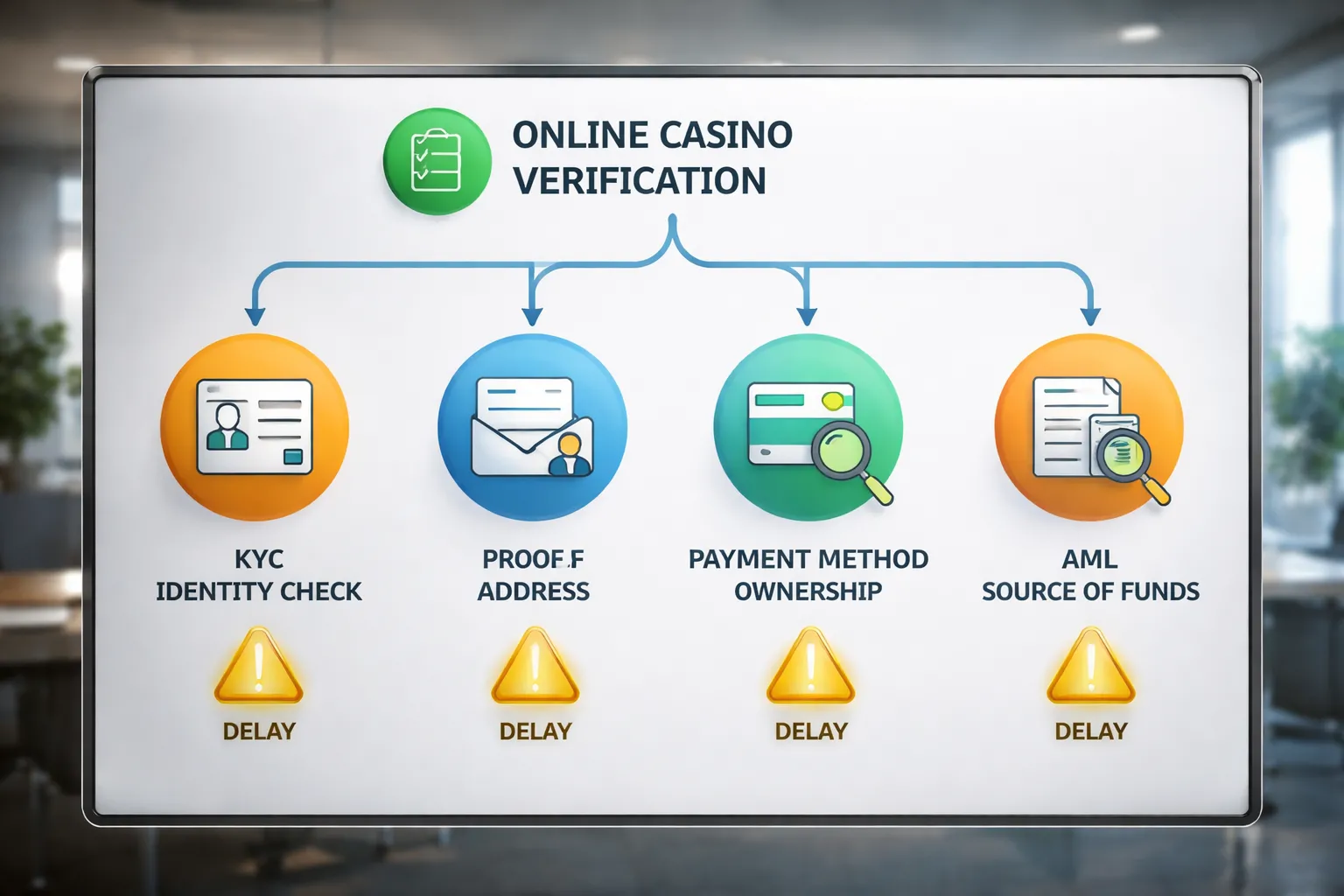
What KYC is, and how it differs from AML and responsible gambling checks
KYC means Know Your Customer. It confirms you are a real person and that your account details match your documents. It usually checks your full legal name, date of birth, address, and identity document validity.
AML means Anti Money Laundering. It checks where money comes from and where it goes. It flags unusual deposits, rapid in and out transfers, third party payments, and high risk countries or payment routes.
Responsible gambling checks focus on harm prevention. They confirm you meet age rules, and they can assess risky play patterns. Some casinos also ask for proof of income or affordability evidence if your spend level triggers local rules.
- KYC validates identity and basic personal data.
- AML validates payment behavior and source of funds.
- Responsible gambling validates age compliance and safer play controls.
Why casinos must verify your identity
Casinos verify you to meet licensing terms. Regulators require age checks, identity checks, and audit trails. A casino that skips this risks fines, payment processor bans, or license loss.
Verification also blocks common fraud. It reduces chargebacks, stops account takeovers, and limits bonus abuse with duplicate accounts. It also helps stop underage gambling by confirming your date of birth against a valid ID.
When verification happens
Casinos can verify you at different points. Some verify at signup. Many verify when you try to withdraw. Others run checks when your activity changes.
- At signup, fast ID checks, selfie checks, and age checks.
- At first deposit, payment method checks, name match, and card or wallet ownership.
- At first withdrawal, full KYC pack, and sometimes proof of address.
- Risk based triggers, large deposits, rapid withdrawals, multiple cards, VPN use, device changes, or unusual location patterns.
If you want fewer delays later, complete KYC before your first cashout. If you need a withdrawal walkthrough, use how to withdraw money from an online casino.
Typical timelines, and what pending review means
Approval time depends on automation and workload. Automated checks can clear in minutes. Manual reviews take longer, especially on weekends and holidays.
| Stage | Typical time | What it usually means |
|---|---|---|
| ID scan and selfie | Minutes to a few hours | System matches your face to your ID and checks document security features. |
| Proof of address | Same day to 48 hours | Staff confirm your name and address format, and check document date range. |
| Payment method checks | Hours to 72 hours | Casino confirms you own the card or wallet, and matches your payment name to your profile. |
| AML or source of funds review | 1 to 7 days | Compliance reviews deposits, withdrawals, and may request bank statements or payslips. |
Pending review usually means one of two things. The system could not auto approve your upload, so a human must check it. Or the casino placed a compliance hold because your transaction pattern triggered an AML or risk rule.
While you wait, do not open new accounts, do not switch payment methods, and do not send edited files. Upload the exact document type the casino asked for, in the requested format, with all corners visible.
How the online casino verification process works (step-by-step)
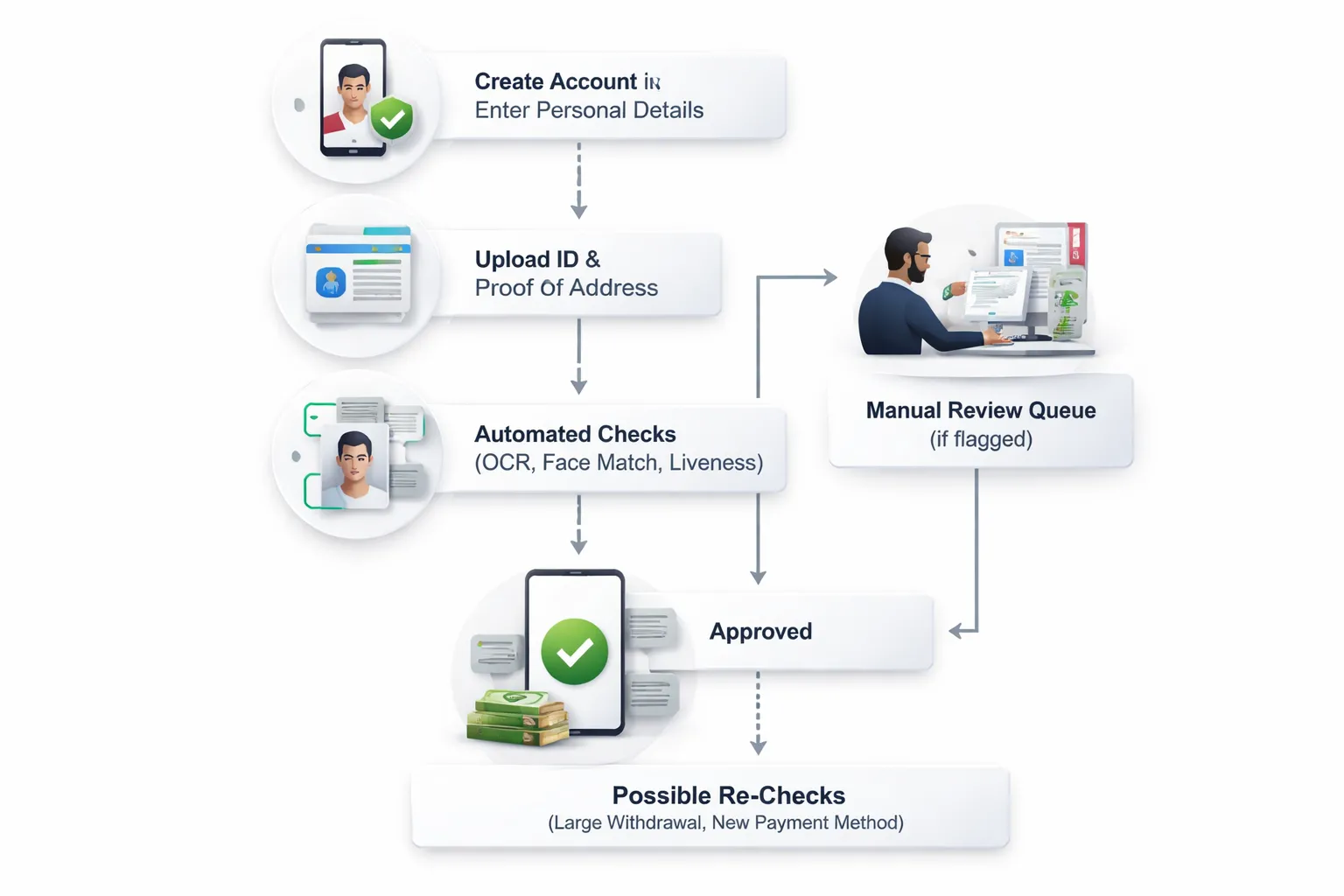
1) Account creation, enter your details right the first time
The casino starts verification when you create an account. The details you type must match your documents and payment method records.
- Use your legal name, no nicknames, no initials unless they appear on your ID.
- Enter your real date of birth. Do not “adjust” it to fix an age or bonus issue.
- Use your current address. Match spelling, apartment numbers, and postcodes.
- Use one email and one phone number that you control. Avoid VoIP numbers if the casino flags them.
- Pick one country of residence and stick to it. Do not use a VPN during sign-up.
Small mismatches can trigger manual review. Manual review means waiting.
2) Document upload, what you submit and how the portal works
Most casinos use a verification portal inside your account. You upload each item in a separate step. The portal usually asks for:
- Proof of identity: passport, national ID, or driver’s license.
- Proof of address: utility bill, bank statement, tax letter, or government letter.
- Payment proof: a card photo, e-wallet screenshot, or bank account proof, based on your deposit method.
- Selfie or liveness check: a selfie holding your ID, or a short video with face movement prompts.
File rules vary by casino and by vendor. Watch for these common limits:
- File types: JPG, PNG, and PDF work most often. HEIC can fail on some portals.
- Size limits: many portals reject files above 5 MB to 10 MB.
- Image quality: sharp focus, no glare, no flash washout, no shadows over text.
- Framing: show all four corners of the document. Do not crop.
- Edits: do not redact, blur, or alter anything unless the casino tells you to.
If the portal offers a live camera capture, use it. It can reduce upload errors and improve liveness results.
3) Automated checks vs manual review, what decides your speed
After upload, software runs checks in seconds to minutes. It looks for:
- Text extraction from your ID and address document, then a match to your account profile.
- ID security features, document validity, and signs of tampering.
- Selfie match to the ID photo, plus liveness signals.
- Address format and date rules, many casinos require proof of address dated within 90 days.
- Payment method ownership signals, name match, issuer country, and fraud markers.
These issues commonly push you into a manual queue:
- Blurry images, glare, cropped corners, or low light.
- Mismatch in name, date of birth, or address between your profile and documents.
- Unsupported file type, oversized file, or password-protected PDF.
- Multiple accounts, shared devices, frequent IP changes, or VPN use.
- Deposit and withdrawal patterns that trigger AML rules, rapid method switching, or third-party payment indicators.
Manual review means a human checks your files and your account history. If they cannot clear it, they ask for more documents.
If you want deeper detail on what casinos check under KYC and AML rules, read online casino KYC requirements.
4) Verification completion, what gets approved and what can get re-checked later
When you pass, the casino marks parts of your account as verified. Approval usually covers:
- Identity verified: your name and date of birth match an accepted ID.
- Age verified: you meet the legal age for that site’s license.
- Address verified: you provided an accepted proof of address, if required.
- Payment verified: the casino links your payment method to you.
Verification can still restart later. Casinos re-check when risk changes or rules require it. Common triggers:
- You request a large withdrawal or hit a cumulative withdrawal threshold.
- You change your address, phone, email, or bank details.
- You add a new payment method, especially a new card or bank account.
- Your document expires, or the casino needs a newer proof of address.
- Your play or transaction pattern triggers ongoing AML monitoring.
Documents casinos ask for (and how to submit them so you get approved faster)
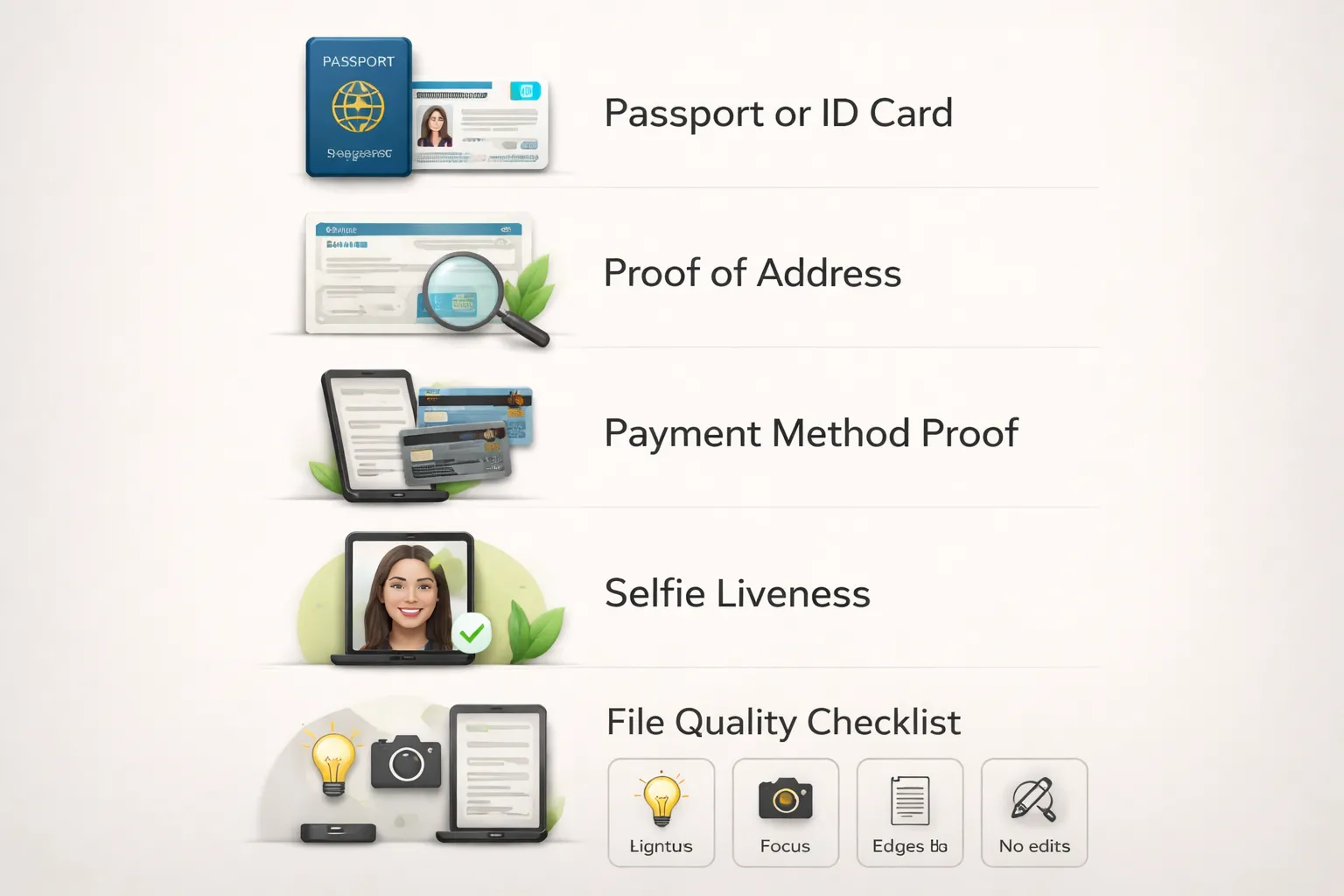
Government ID, what casinos ask for and what gets approved fastest
Most casinos ask for one government issued photo ID. Some ask for a second document if your risk score is higher.
- Passport. Usually the fastest. It has a clear MRZ line, strong security features, and one standard format. Fewer edge cases for scanners and reviewers.
- National ID card. Often fast in countries where it is common. Front and back scans matter. Many rejections come from missing the back side.
- Driver’s license. Often slower. Formats vary by region and older licenses scan poorly. Glare from laminated cards causes many failures.
Submit the same name format across your account, payment method, and ID. Match order, spelling, and diacritics.
Proof of address, accepted documents and common rejection reasons
Casinos use proof of address to confirm your residency and match it to your profile. Most want a recent document, often within 90 days. Some accept 30 or 60 days only.
- Utility bill, electricity, gas, water, landline internet. Must show your name, address, date, and issuer.
- Bank statement, paper or official PDF. Screenshots often fail.
- Government letter, tax notice, benefits letter, residency letter.
- Tenancy agreement, accepted at some casinos but reviewed more strictly.
Common rejection reasons:
- Document is too old or date is missing.
- Your name is missing or shortened, for example initials only.
- Address format does not match your account, for example flat number missing.
- Screenshot, cropped PDF, or a photo of a screen.
- Blur, glare, or low contrast that hides fine text.
- Document type not accepted, for example mobile phone bill in some regions.
Payment method verification, cards, e-wallets, bank transfers, and crypto
Payment checks aim to confirm you control the method you use to deposit or withdraw. Expect extra checks when you add a new method or request a withdrawal.
- Cards. You may need a photo of the card. Hide the middle digits. Keep the first 6 and last 4 visible. Hide the CVV. Show your name and expiry. Some casinos ask for a card ownership proof inside your banking app.
- E-wallets. You may need a screenshot or PDF statement showing your name, wallet email or ID, and recent transactions. Use the wallet’s export feature when possible.
- Bank transfer. Expect a bank statement or deposit confirmation that shows your name and IBAN or account number. Third party accounts fail.
- Crypto, if supported. You may need to prove wallet control. Casinos may ask for a signed message, a selfie with your wallet address, or a transaction hash linked to your deposit. Use the same wallet for deposits and withdrawals when the casino requires it.
Use one payment method until you pass KYC. Method switching creates delays and extra review. If your withdrawal fails, check common causes in why your casino withdrawal was rejected.
Selfie and liveness checks, how to pass face match without retries
- Use bright, even light. Face a window. Avoid backlight.
- Remove hats, sunglasses, and heavy face coverings. Keep hair away from your eyes.
- Clean your camera lens. Use the rear camera if possible.
- Hold still. Keep your full face inside the frame.
- Match your ID photo setup. Neutral expression works best.
- Do not use filters, portrait retouching, or beauty mode.
If the casino asks for an ID plus selfie, keep the ID flat and readable. Do not cover the photo, number, or MRZ zone. Keep fingers off key text.
Source of funds and source of wealth, when it is requested and how to send it fast
Casinos request this when your deposits or withdrawals hit certain levels, when your play pattern changes, or when AML monitoring flags activity. Some jurisdictions require checks at specific thresholds.
Send one clear bundle. Include a short note that explains the flow, for example salary to bank account, then card deposit to casino.
- Salary. Recent payslips plus a bank statement showing the matching deposits.
- Self employed. Tax return, accountant letter, or invoices plus bank statements.
- Savings. Bank statements that show balance history and source.
- Inheritance or gift. Letter from solicitor, probate document, or bank transfer evidence.
- Sale of assets. Sale contract plus proof of funds received.
- Investments. Broker statements plus bank proof of withdrawals.
Do not send random pages. Highlight the relevant lines with the casino’s built in upload notes if available. Avoid drawing on the document.
File quality checklist, what reviewers and scanners need
- Resolution. Use the original camera file. Avoid messaging apps that compress images.
- Lighting. No glare on laminated cards. No shadows across text.
- Color. Submit color images. Black and white scans often fail security checks.
- Focus. Fine text must look sharp at 100 percent zoom.
- Framing. Show full document edges. Do not crop corners.
- No edits. Do not blur, mask, annotate, or add watermarks unless the casino tells you to. If you must hide card data, cover only what is required and keep the rest readable.
- File type. Use JPG or PNG for photos. Use PDF for statements when possible.
- Consistency. Same name, same address, same method, same device when possible.
The fastest way to pass casino verification (action checklist)
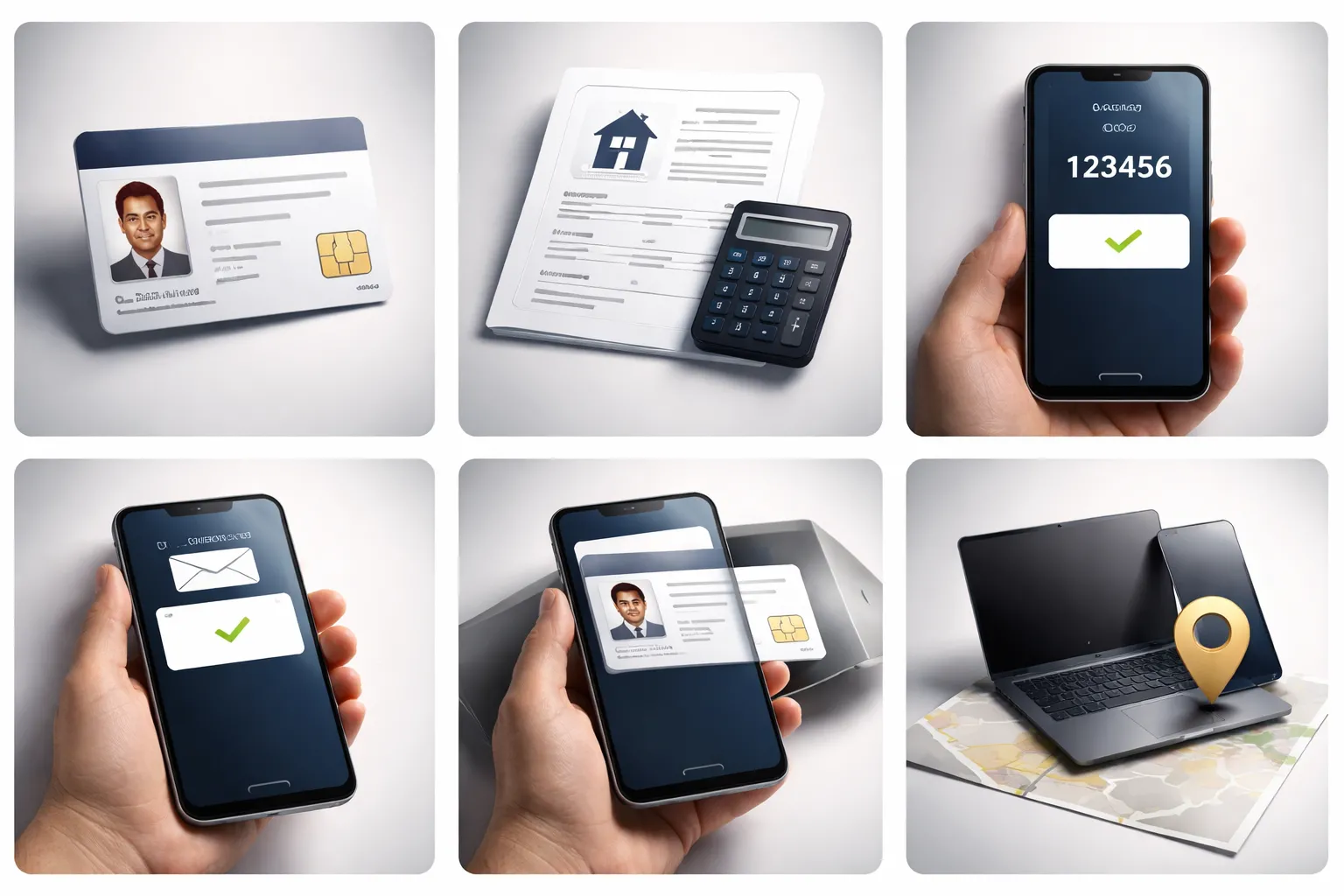
Before you start: gather documents, check expiry dates, update your profile
- Pick your ID. Use the document the casino accepts in your country, passport, national ID, or driver’s license.
- Check expiry dates. Do not upload expired ID, even if the photo and details look clear.
- Match your account profile to your documents. Update your full legal name, date of birth, and address before you upload anything.
- Prepare proof of address. Use a bank statement, utility bill, or government letter that meets the site’s age limit, often 30 to 90 days.
- Have payment proof ready. If you deposited, prepare a screenshot or statement that shows your name and the transaction, depending on the method.
- Use clean source files. Avoid screenshots of photos, compressed messenger images, and files that were edited.
During upload: scan correctly with your phone
- Use a scanning app. Google Drive Scan, Adobe Scan, or iPhone Notes Scan work well for documents and letters.
- Flatten the page. Put it on a dark, matte surface. Press corners down so the app does not warp edges.
- Control glare. Turn off flash if it reflects. Move the light source to the side. Do not shoot under a ceiling spot.
- Lock focus. Tap the text area. Hold still. Shoot at 1x zoom.
- Capture full edges. Show all four corners of the document. Keep margins visible.
- Use the right format. Upload JPG or PNG for ID photos, PDF for statements if available.
- Keep files readable. Aim for sharp text and natural color. Do not use filters.
Match details across everything: names and addresses
- Use one name format everywhere. If your ID shows “John Michael Smith,” do not register as “J. Smith” or drop the middle name.
- Keep middle names consistent. If the casino form has a middle name field, fill it. If it does not, include the middle name in first name only if support tells you to.
- Watch abbreviations. “St” vs “Street,” “Apt” vs “Apartment,” and “Rd” vs “Road” can trigger manual review when combined with other mismatches.
- Use the same address line order. Keep unit number, building, and street in the same fields each time.
- Do not mix old and new data. If you moved, update your profile first, then use a proof of address that shows the same address.
Verify email and phone early to reduce extra checks
- Confirm your email on signup. Unverified email often leads to more fraud screening during withdrawals.
- Verify your phone number before KYC. Use a number registered to you. Avoid VoIP numbers if the casino flags them.
- Keep your contact details stable. Do not change email or phone while verification runs unless support asks.
Use the same device and location to avoid risk flags
- Sign up and complete KYC on the same device. Switching between phone, tablet, and desktop can trigger additional checks.
- Stick to one network. Use your home Wi-Fi or your mobile data, then stay consistent. Avoid frequent IP changes.
- Skip VPNs and proxies. Many casinos auto-flag them and route your case to manual review.
- Keep payment method consistent. Deposit and withdraw with the same method when possible. It reduces source of funds questions.
- If a withdrawal fails, do not spam uploads. Open one support ticket and ask exactly what file type and fields they want. For common failure causes, see why casino withdrawals get rejected.
Action checklist you can follow in order:
- Update your profile to match your ID and proof of address.
- Check ID expiry, then scan it with full edges and no glare.
- Scan proof of address as a PDF when possible.
- Verify email and phone before you submit KYC.
- Upload once, then wait for the result, do not replace files unless asked.
- Stay on the same device and network until you get approval.
Top reasons casino verification fails (and how to fix each one quickly)
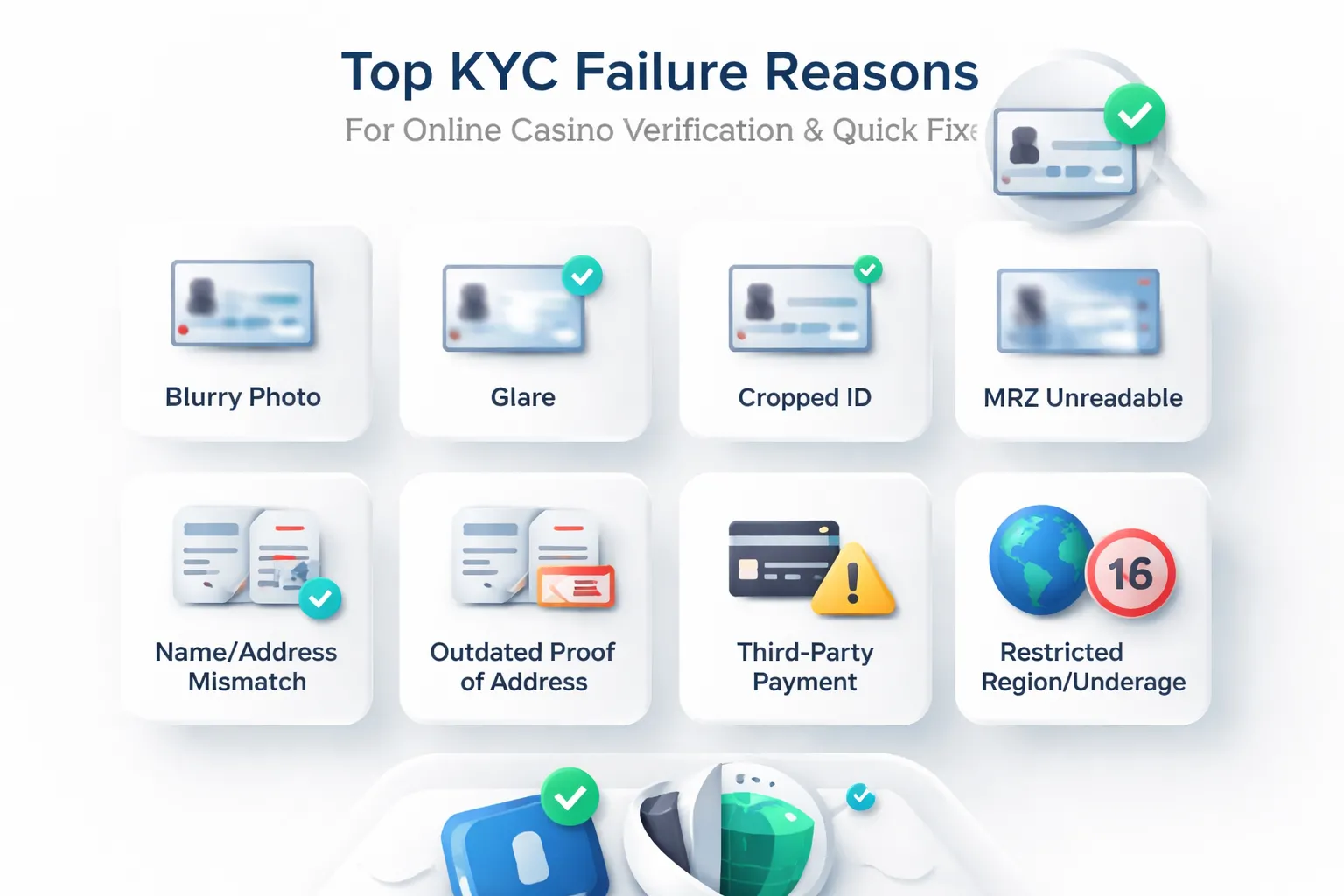
Blurry images, glare, cropped corners, and unreadable MRZ or barcodes
Casino KYC tools need clear text, a sharp photo, and the full document. If the system cannot read key zones, it rejects your file or sends it to manual review.
- Blurry or low resolution. Use your phone camera, not a compressed screenshot. Tap to focus on the text. Keep the file under the site’s max size, but do not shrink it until text turns soft.
- Glare and reflections. Turn off flash. Move to indirect light. Tilt the document slightly until reflections disappear.
- Cropped edges. Capture all four corners and a small border. Do not “auto crop” if it cuts the frame.
- Unreadable MRZ or barcode. The MRZ is the two or three lines of coded text on passports and some IDs. Keep it flat, centered, and sharp. Do not cover it with fingers. If the casino asks for the back of the card, upload it. Many barcodes sit there.
- Wrong file type. If the upload fails, switch to JPG or PNG for IDs. Use PDF for proof of address.
Mismatched personal details (typos, nicknames, recent moves, different alphabets)
Casinos match your profile details to your documents. Small differences trigger a fail because the check often runs as an exact match.
- Name mismatch. Use your legal name, in the same order as your ID. Remove nicknames. Keep spacing and hyphens consistent.
- Date of birth mismatch. Check day and month order. Many forms switch between DD/MM and MM/DD.
- Address mismatch. Match your proof of address format. Use the same unit number, street type, and postcode. If you moved, update your casino profile first, then upload a document that shows the new address.
- Different alphabet or transliteration. Use the Latin spelling shown on your passport MRZ when possible. If your documents use another script, follow the casino’s transliteration rules and keep it consistent across all fields.
- Missing middle name or second surname. If your ID shows it, add it. If the form has no field, append it to the last name field as the casino instructs.
Outdated or unacceptable proof of address (age limits, missing address, screenshots)
Proof of address fails when it does not meet freshness rules or does not show the right data.
| Common fail | Fix |
|---|---|
| Document too old | Use a recent statement or bill. Many casinos accept documents issued within the last 30 to 90 days. Check the casino’s limit and pick the newest file you have. |
| Address not visible | Upload a full page that shows your name, address, issue date, and issuer. “Account overview” pages often miss the address. |
| Screenshot rejected | Download the original PDF from your bank or utility portal. Casinos often flag screenshots as editable. |
| Wrong document type | Use bank statements, utility bills, tax letters, or government correspondence if accepted. Delivery notes and parcels rarely work. |
| Edited or redacted file | Do not blur, mask, or crop key sections. If you must hide data, ask support what you can redact first. |
Payment mismatch, third-party deposits, different cardholder names, or shared accounts
Payment checks link your funding method to you. If the casino sees another name, it treats it as third-party funding and blocks withdrawals.
- Cardholder name does not match your ID. Use a card in your legal name. If your bank uses initials, ask support what they accept before you deposit more.
- Deposits from someone else. Stop. Do not use a partner’s card, a friend’s e-wallet, or a shared bank account unless the casino allows it in writing.
- Mixed payment methods. Stick to one method until you pass KYC and complete your first withdrawal. Multiple sources can trigger extra checks.
- Missing payment proof. If asked, upload a card photo with only the last 4 digits visible and your name visible, or a wallet screenshot that shows your name and account email. Follow the casino’s masking rules.
If you need help choosing the right funding method before you start, follow this guide on creating an online casino account step by step.
Risk flags, VPN or proxy use, multiple accounts, unusual deposit or withdrawal patterns
Casinos score accounts for fraud risk. Some actions slow approval or trigger enhanced checks.
- VPN, proxy, or remote desktop. Turn it off. Use your normal connection. Keep the same device and network until KYC finishes.
- Multiple accounts. Do not create a second account to “start fresh”. It often triggers a hard block. Contact support and ask to close duplicates.
- Location conflicts. If your IP country, phone number country code, and document country do not line up, expect delays. Fix your profile details and use your real location.
- Fast in and out transactions. Large deposits followed by quick withdrawals can trigger source of funds checks. Be ready to provide salary slips, bank statements, or wallet history if requested.
- Chargeback history. Previous disputes with payment providers raise your risk score. Avoid new disputes while KYC runs. Use support first.
Underage or jurisdiction issues, restricted regions and age thresholds
Some fails have no quick workaround because the casino must follow licensing rules.
- Underage. If you do not meet the casino’s minimum age for your jurisdiction, the casino must reject you. Wait until you qualify, then register again with correct details.
- Restricted country or region. If the casino does not accept players from your location, verification will fail even with valid documents. Do not try to bypass it with a VPN. Pick a licensed operator that accepts your country.
- Document country not supported. Some casinos cannot verify certain document types or issuing countries. Ask support what they accept before you upload more files.
How to get verified faster at specific casino types (practical scenarios)
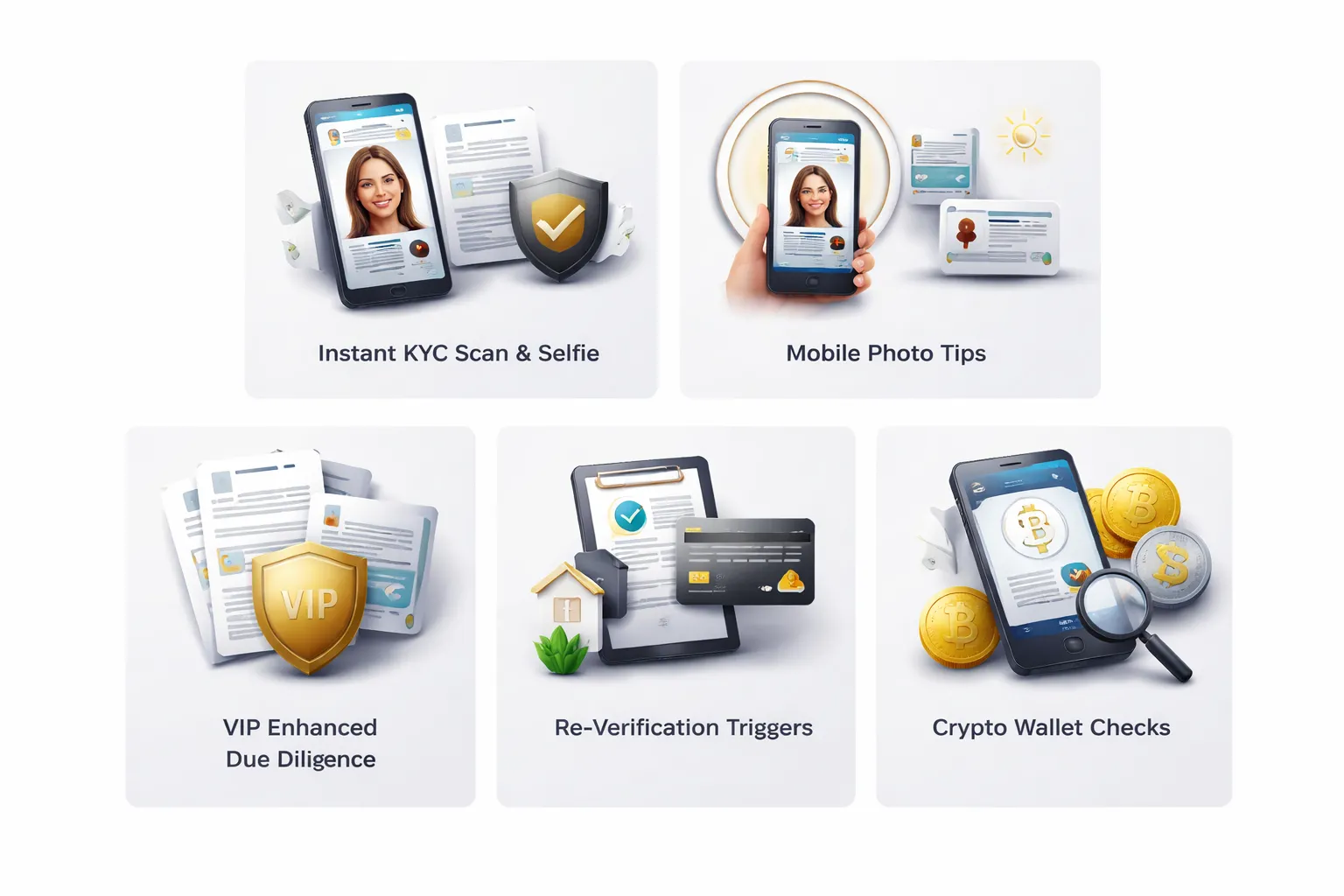
Instant KYC casinos, what “instant” really means
“Instant” usually means an automated check, not a human approval. You scan your ID, take a selfie, and the system matches data in seconds. You still fall back to manual review if your files fail basic quality or data rules.
- Match your details exactly. Use the same full name, date of birth, and address across your casino profile, ID, and proof of address. Do not add nicknames or extra middle names.
- Use an accepted document. Many tools prefer passports, then national ID cards. Some driver’s licenses fail due to missing MRZ, glare, or weak security features.
- Upload full frames. Show all corners. Do not crop. Do not cover the MRZ line or barcode.
- Avoid “fresh” documents. If you just renewed an ID, some databases take time to update. If you have a valid older ID, ask support what they accept before you submit.
- Keep your device and network stable. Dropped uploads create partial files that trigger manual queues.
Mobile-first casinos, faster approval with better capture
Most failed KYC starts with bad images. Your phone can pass first time if you control light, focus, and file handling.
- Use the in-app camera. In-app capture keeps metadata and reduces compression issues. Avoid sending screenshots.
- Clean the lens. Smudges blur text and security marks. That forces manual checks.
- Use even light. Stand near a window. Avoid direct sun and overhead glare. Turn off flash if it reflects on laminates.
- Lock focus on text. Tap the ID number area. Hold still for a second before capture.
- Keep files unedited. No filters, no sharpening, no contrast boosts. Editing looks like tampering.
- Use a plain background for selfies. Remove hats and tinted glasses. Keep your face centered and fully visible.
High-stakes and VIP accounts, enhanced due diligence
If you deposit large amounts, ask for high limits, or withdraw big wins, you often trigger enhanced due diligence. You can still speed it up by preparing the right pack.
- Expect source of funds checks. Casinos may ask where deposit money comes from, salary, business income, savings, or investments.
- Expect source of wealth checks. If your play level stays high, they may ask how you built your overall wealth, not just this month’s deposits.
- Prepare clear evidence. Recent bank statements showing salary credits, payslips, tax documents, dividend statements, or sale contracts. Provide only what they request.
- Use accounts in your name. Third-party cards and shared bank accounts slow approval or fail it.
- Plan withdrawals. If you want faster cashout, verify before you request a large withdrawal. See online casino payout times for what impacts processing speed.
New account verification vs re-verification for existing players
Casinos re-check accounts when risk changes. This often surprises long-time players. You can avoid delays by updating details before you transact.
- Address change. A new address often requires a new proof of address, usually dated within the last 90 days.
- New payment method. Adding a new card, bank account, or wallet can trigger ownership checks and extra review.
- Large change in activity. Higher deposits, higher withdrawal amounts, or a sudden pattern shift can trigger a re-check.
- Document expiry. Expired IDs force a new submission. Renew early if you plan to withdraw soon.
- Regulatory updates. Some licenses require periodic refresh KYC even if nothing else changes.
Crypto-friendly casinos, what extra checks still apply
Crypto does not remove KYC at licensed casinos. Many operators still must meet AML rules. You may face extra checks tied to the blockchain trail.
- Wallet ownership checks. Some casinos ask you to sign a message or send a small test transaction to prove control of the wallet.
- Transaction screening. Casinos may block deposits linked to mixers, high-risk services, or sanctioned exposure. This can pause verification and withdrawals.
- Travel rule style requirements. Some jurisdictions require extra sender or receiver data for larger transfers, even if you use crypto.
- Fiat on-ramp evidence. If you bought crypto through an exchange, the casino may ask for exchange statements to support source of funds.
- Keep your trail simple. Deposit from a personal wallet funded from a regulated exchange account in your name. Avoid layered hops before deposit.
Privacy, security, and data protection during casino verification
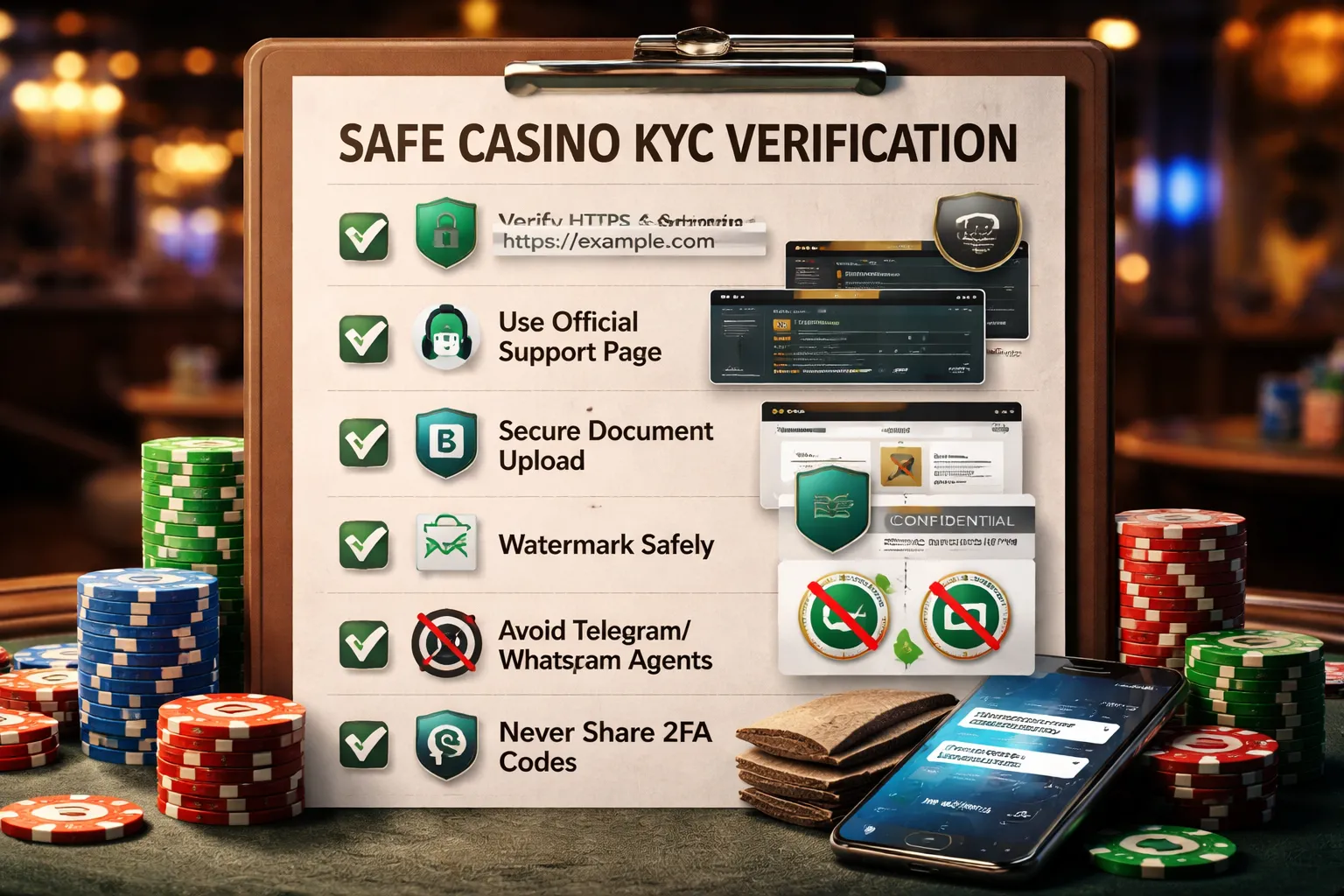
How to confirm you are on the real casino site
- Type the domain yourself. Do not follow random ads, DMs, or “support” links.
- Check HTTPS and the lock icon. Click the lock to view the certificate and confirm it matches the casino’s domain.
- Verify the exact domain. Watch for extra words, swapped letters, odd endings, and hyphen tricks.
- Use official app stores only. Avoid APK downloads and “mobile install” links sent by chat.
- Find support from the site menu. Use the on-site Help, Support, or Contact page. Avoid “agent” links.
- Cross-check licensing info. Legit sites show a license number and regulator name in the footer. Match it on the regulator site when possible.
What casinos can store, and how long they can keep it
Verification collects personal data. That usually includes your name, date of birth, address, ID number, document images, selfie video or photo, and proof of address. Some casinos also store payment data, device and IP data, and transaction history.
Retention rules depend on the license and local AML laws. Many regulators require casinos to keep KYC and transaction records for years after your last activity, often around 5 years. Some jurisdictions allow longer storage if disputes, fraud reviews, or legal claims exist.
- Expect long retention. KYC records often outlive your account.
- Expect shared processing. Casinos often use KYC vendors to run ID checks and liveness tests.
- Ask for the policy. Read the Privacy Policy and KYC terms before you upload anything. Check retention, sharing, and deletion rules.
If you need the bigger picture, read casino KYC rules and ID checks.
Safe document handling that still gets you approved
- Use a clean capture. Shoot in good light. Keep all corners visible. Avoid blur and glare.
- Do not edit the image. Cropping, filters, compression, and annotations can trigger a manual review.
- Watermark, but keep it minimal. Add “For CasinoName KYC, date” on a blank area. Use small text. Do not cover your face, photo, ID number, MRZ, barcode, or holograms.
- Do not redact required fields. Casinos need your name, date of birth, document number, issue and expiry dates, and address on proof of address. Redactions often cause a reject.
- Mask only what they do not need. If the casino accepts it, you can sometimes hide non-required numbers on bank statements. Do not hide your name, address, statement date, or transaction lines they asked for.
- Send through the secure upload tool. Avoid email attachments unless the casino tells you to use email from inside your account area.
- Keep storage tight. Delete raw photos from your camera roll after approval. Remove files from cloud backups if you do not need them there.
- Use a separate folder. Store KYC files in an encrypted vault or a password-protected archive.
- Do not reuse old screenshots. Proof of address usually must be recent, often within 90 days.
Phishing and fake “KYC agents” on email, Telegram, and WhatsApp
- Assume DMs are scams. Casinos rarely ask for ID over Telegram or WhatsApp.
- Reject “urgent verification” pressure. Scammers push time limits to stop you from checking the domain.
- Watch for off-domain emails. Support should come from the casino’s real domain, not free email services or misspelled lookalikes.
- Do not share one-time codes. No real agent needs your 2FA code or SMS login code.
- Do not install remote access tools. Any request to install TeamViewer, AnyDesk, or a “verification app” is a red flag.
- Do not click “document upload” links in messages. Log in from your bookmark, then upload inside your account.
- Confirm through official support. If someone claims to be staff, contact support from the site and ask them to confirm the name and ticket number.
Timing, support, and escalation: how to reduce waiting time
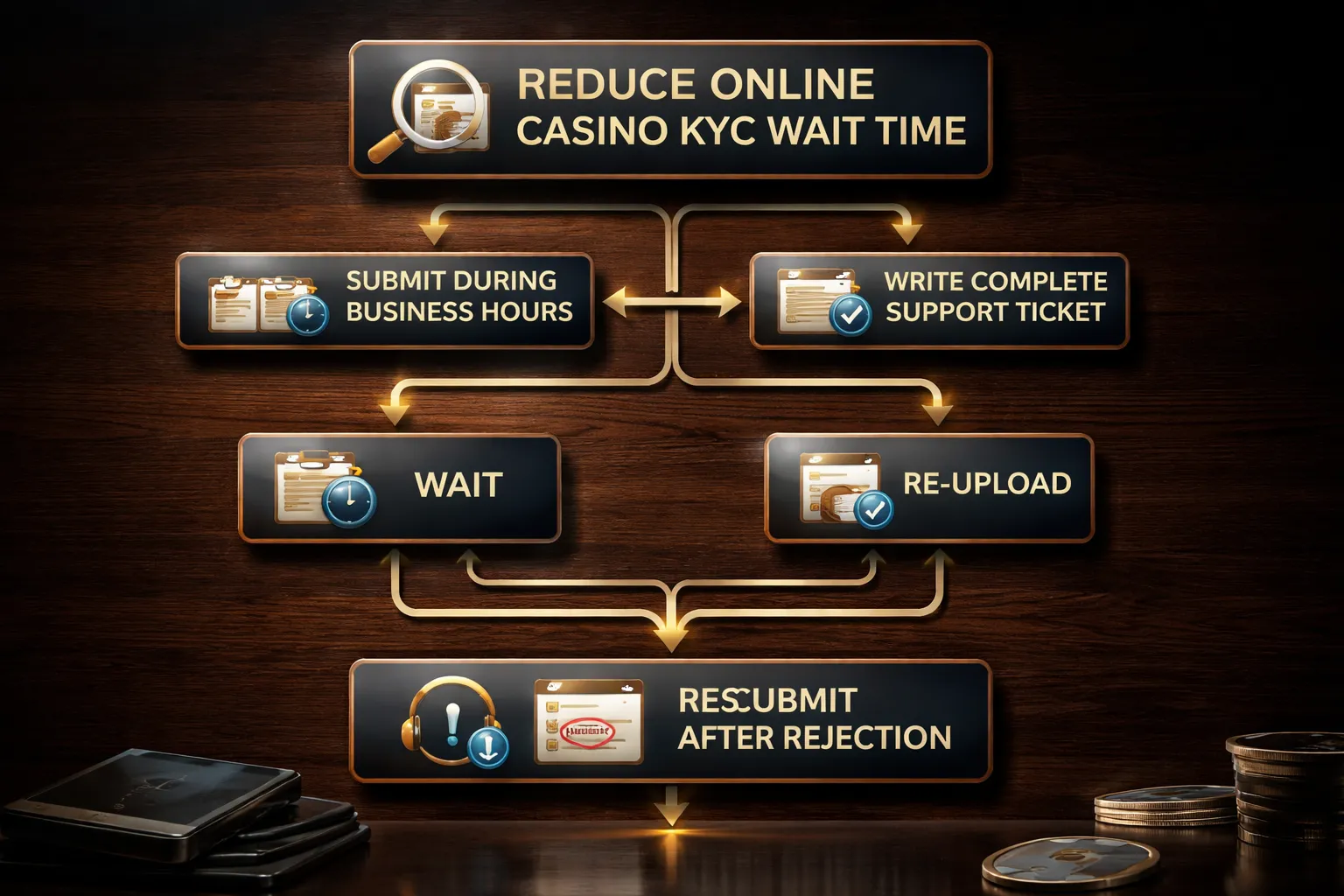
Best times to submit documents
Submit during the operator’s business hours. Most manual KYC teams work weekday shifts. Weekends and late nights tend to stack queues.
- Fastest window: Monday to Thursday, daytime in the casino’s local time zone.
- Slower window: Friday afternoon, weekends, and public holidays.
- Tip: If the casino serves your region, check its support hours page. Match your upload to that schedule.
Upload once, then wait for the confirmation message in your account or email. If you upload right before shift changes, expect an extra delay.
How to write an effective support ticket
Support moves faster when you send complete, searchable details. Keep your message short and structured.
- Subject: “KYC verification pending, uploaded on 2026-02-05 14:12 UTC, account email: [email protected]”
- Include your case ID: the verification reference number, ticket number, or transaction ID.
- Add timestamps: upload time, rejection time, and last status change time.
- Paste the exact error: copy the message word for word, including any codes.
- List files uploaded: “Passport photo page, selfie, proof of address PDF.”
- Confirm key facts: your legal name, date of birth, and country match your ID.
- Attach proof once: attach screenshots of the status page and the error banner. Do not attach extra duplicates.
Ask for one clear action. Example. “Please confirm if my documents entered the manual review queue and the current estimated review time.”
When to re-upload vs wait
Duplicate submissions can reset your place in line. Some systems treat each upload as a new case.
- Wait if: the status shows “In review,” “Pending,” or “Submitted,” and you received an upload confirmation.
- Re-upload if: the upload failed, the status stays blank, the file shows “0 KB,” or you got a “file corrupted” message.
- Re-upload if: the casino asks for a specific fix, like “full document visible” or “new proof of address.”
- Do not re-upload to chase speed: it often slows the review.
If you must re-upload, replace files once and reference the previous submission time in your ticket.
Verification stuck: escalation paths and response windows
Set a simple timeline and escalate in steps. Keep all communication inside one ticket thread.
Escalate through official channels only. Use live chat for status checks, but keep your documents in the secure upload area.
If you’re rejected: get specific reasons and resubmit clean
Do not guess. Ask support to name the exact failure. Then send one corrected set.
- Request the failure category: blur, glare, cropped edges, mismatch, expired ID, address doc too old, unsupported doc type, or selfie mismatch.
- Request the rule that failed: “proof of address must be within 90 days” or “no screenshots allowed.”
- Confirm what to submit: exact document type, file format, and whether color is required.
- Resubmit as a full package: ID, selfie, and proof of address together if the casino reviews them as one case.
- Reference the rejection: include the rejection timestamp and the reason text in your upload note or ticket.
Send one clean attempt. Multiple partial fixes create more review cycles and more waiting.
Pros and cons of casino verification (so you know what to expect)
Player benefits
- Faster withdrawals after approval. Once your account clears, payouts usually move straight to payment checks, not identity checks. You avoid repeated hold states when you cash out.
- Fewer payment blocks. Banks and card processors flag gambling payments. A verified account reduces failed payouts and sudden method restrictions.
- Stronger account security. Verification links your account to you, not to whoever knows your password. It also reduces support delays if your account gets locked.
Casino benefits
- Less fraud. Casinos use KYC to stop stolen cards, mule accounts, and identity swapping.
- Fewer chargebacks. Chargebacks cost money and can get a casino in trouble with processors. Verified ownership reduces “I did not authorize this” disputes.
- Less bonus abuse. KYC helps catch multi-accounting and matched betting patterns tied to the same identity, device, or address.
- Regulatory compliance. Licensed casinos must prove age, identity, and source of funds in higher risk cases. If they fail, they can lose their license or payment access.
Downsides (what slows you down)
- Onboarding friction. You may need to pause registration, find documents, then wait for review. This adds time before you can withdraw.
- False positives. Automated checks can reject valid documents due to glare, blur, cropped edges, name mismatches, or address formatting differences.
- Document fatigue. Some casinos ask for extra proof later, like a new address document, a payment method photo, or source of funds if your deposits or withdrawals rise.
- Privacy exposure. You share sensitive data. A good casino stores it securely and limits access, a bad one creates risk.
How to choose a casino with smoother verification
- Check licensing. Pick casinos with a clear license and regulator listed in the footer. You want a known compliance standard and a complaint path.
- Scan recent reviews for “KYC” and “withdrawal”. Look for patterns, not one-off anger. Repeated claims of endless rechecks or changing requirements matter.
- Test support before you deposit. Ask what they accept for ID and proof of address, what file formats they want, and typical review times. Good support answers in specific terms.
- Look for clear KYC rules. Strong casinos explain what triggers extra checks, like large withdrawals, new payment methods, or name mismatches.
- Verify early. Do it right after signup so you do not hit a document wall at cashout. If you need help with setup, follow our step-by-step casino account signup guide.
FAQ
What documents do online casinos usually accept for KYC?
Most casinos ask for three items. A photo ID, proof of address, and payment proof. IDs include passport, national ID, or driver’s license. Address proof includes a utility bill or bank statement. Payment proof includes a card photo or e-wallet screenshot.
How long does casino verification take?
Many checks finish in minutes to 24 hours with automated tools. Manual reviews often take 24 to 72 hours. Extra checks can take longer if your documents look edited, your address does not match, or you change payment methods before withdrawal.
What are the most common reasons casinos reject KYC?
Blurred images, glare, cropped corners, and expired IDs cause most rejections. Name or address mismatches also fail. So do low resolution scans, screenshots of documents, and statements older than the allowed window. Uploading the wrong file type can also block approval.
How do you get approved faster?
Use the same legal name everywhere. Upload color photos with all four corners visible. Match your address to your casino profile. Submit recent address proof. Verify your payment method you plan to use for withdrawals. Do KYC right after signup, not at cashout.
Do you need to verify before you can withdraw?
In most regulated casinos, yes. You can often deposit and play first, but casinos usually block withdrawals until they complete KYC. Some casinos also trigger verification at certain thresholds, after big wins, or after unusual account activity.
Why does the casino ask for a selfie or video?
It confirms you are the real document holder. It helps stop stolen IDs, deepfakes, and account takeovers. Follow the on-screen steps, use good light, and keep your face fully visible. Do not wear sunglasses or a hat unless the casino allows it.
Is it safe to upload your ID to an online casino?
It can be, if the casino uses encryption, secure upload portals, and clear retention rules. You still take risk. Limit what you share to what they request. Avoid sending documents by email unless support confirms it uses a secure method.
Can you use someone else’s card or bank account?
No. Casinos usually require the payment method to match your verified identity. Third-party payments often trigger blocks, reversals, or account closure. Use a card, bank account, or e-wallet in your name to avoid delays at withdrawal time.
What should you do if your withdrawal gets rejected after verification?
Check for KYC status changes, missing payment proof, or new review triggers. Ask support for the exact reason and the required file format. Then resubmit once. For more causes and fixes, see why your casino withdrawal was rejected.
Conclusion
Casino verification is paperwork and timing. You control most of it.
- Use one identity. Match your name, date of birth, and address across your casino profile, ID, and payment method.
- Upload clean files. Color images, all four corners visible, no glare, no edits.
- Prove your address fast. Use a recent utility bill or bank statement that shows your full name and address.
- Use a payment method in your name. Keep a screenshot or statement ready as proof of ownership.
- Send everything once. Do not spam uploads. Ask support for the exact missing item and required format, then resubmit.
Final tip. Verify before your first withdrawal. Then check your payment method limits so your cashout does not fail on caps. Use online casino payment methods compared to pick the option that clears KYC with the fewest steps.
-
Online Casino Payment Safety Tips: How to Deposit and Withdraw Securely
8 months ago -
What to Do If an Online Casino Won’t Pay Out: Step-by-Step Actions
8 months ago -
How to File a Complaint Against an Online Casino (Plus ADR Explained)
8 months ago -
How to Sign Up & Create an Online Casino Account (Step-by-Step)
8 months ago -
Online Casino Login Problems: Fixes for Common Sign-In Issues
8 months ago
-
- Government ID, what casinos ask for and what gets approved fastest
- Proof of address, accepted documents and common rejection reasons
- Payment method verification, cards, e-wallets, bank transfers, and crypto
- Selfie and liveness checks, how to pass face match without retries
- Source of funds and source of wealth, when it is requested and how to send it fast
- File quality checklist, what reviewers and scanners need
-
- Blurry images, glare, cropped corners, and unreadable MRZ or barcodes
- Mismatched personal details (typos, nicknames, recent moves, different alphabets)
- Outdated or unacceptable proof of address (age limits, missing address, screenshots)
- Payment mismatch, third-party deposits, different cardholder names, or shared accounts
- Risk flags, VPN or proxy use, multiple accounts, unusual deposit or withdrawal patterns
- Underage or jurisdiction issues, restricted regions and age thresholds
-
- What documents do online casinos usually accept for KYC?
- How long does casino verification take?
- What are the most common reasons casinos reject KYC?
- How do you get approved faster?
- Do you need to verify before you can withdraw?
- Why does the casino ask for a selfie or video?
- Is it safe to upload your ID to an online casino?
- Can you use someone else’s card or bank account?
- What should you do if your withdrawal gets rejected after verification?
-
-
- Government ID, what casinos ask for and what gets approved fastest
- Proof of address, accepted documents and common rejection reasons
- Payment method verification, cards, e-wallets, bank transfers, and crypto
- Selfie and liveness checks, how to pass face match without retries
- Source of funds and source of wealth, when it is requested and how to send it fast
- File quality checklist, what reviewers and scanners need
-
- Blurry images, glare, cropped corners, and unreadable MRZ or barcodes
- Mismatched personal details (typos, nicknames, recent moves, different alphabets)
- Outdated or unacceptable proof of address (age limits, missing address, screenshots)
- Payment mismatch, third-party deposits, different cardholder names, or shared accounts
- Risk flags, VPN or proxy use, multiple accounts, unusual deposit or withdrawal patterns
- Underage or jurisdiction issues, restricted regions and age thresholds
-
- What documents do online casinos usually accept for KYC?
- How long does casino verification take?
- What are the most common reasons casinos reject KYC?
- How do you get approved faster?
- Do you need to verify before you can withdraw?
- Why does the casino ask for a selfie or video?
- Is it safe to upload your ID to an online casino?
- Can you use someone else’s card or bank account?
- What should you do if your withdrawal gets rejected after verification?
-
-
Reload Bonus Explained: What It Is and When It’s Worth Claiming
6 months ago -
Online Casino Licensing Explained: Authorities, Licenses & How to Check One
8 months ago -
Best Live Dealer Casinos: Where to Play Live Blackjack, Roulette & More
8 months ago -
Best Online Casinos for High Rollers: VIP Perks, High Limits & Exclusive Bonuses
8 months ago -
Fast Payout Online Casinos: Best Sites for Quick Withdrawals
8 months ago
-
Online Casino Customer Support: What to Look For (Live Chat, Email, Response Times)
8 months ago -
Sign Up for an Online Casino: Create an Account in Minutes
8 months ago -
Online Casino Payment Safety Tips: How to Deposit and Withdraw Securely
8 months ago -
What to Do If an Online Casino Won’t Pay Out: Step-by-Step Actions
8 months ago -
How to File a Complaint Against an Online Casino (Plus ADR Explained)
8 months ago